Here are some VSCode-specific keyboard/mouse shortcuts I personally find useful.
Where to change shortcuts:
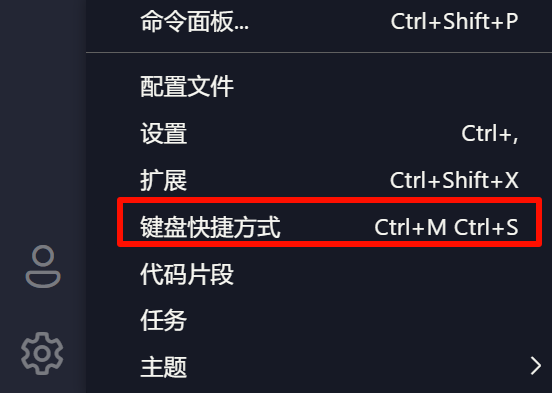
How to look up what a specific shortcut does in VSCode:

| Feature | Shortcut |
|---|---|
| Open command palette | Ctrl + Shift + P |
| Quick open file | Ctrl + P |
| Recently opened projects | Ctrl + R |
| Duplicate the current line | Shift + Alt + ↓/↑ |
| Move line up/down | Alt + ↓/↑ |
| Multi-line editing | Middle mouse button drag | Ctrl + Alt + ↑ / ↓ | Alt + click each location |
| Select word at cursor (press again to select the next occurrence) | Ctrl + D |
| Toggle comment / uncomment | Ctrl + / |
| Go to definition | Ctrl + left click | F12 |
| Delete entire line | Custom (I use Alt + D) |
| Toggle / create bottom terminal | Ctrl + J / Ctrl + ~ |
| Reopen the file you just closed (same as in a browser) | Ctrl + Shift + T |
| Quickly copy / cut the entire line | Ctrl + C / Ctrl + X (when nothing is selected) |
| Global search | Ctrl + Shift + F |
| Adjust indentation of the current line | Ctrl + [ / Ctrl + ] |
| Jump to beginning / end of file | Ctrl + Home / End |
| Move cursor horizontally (jumps to word start / end) | Ctrl + ← / → |
Cursor-specific:
| Feature | Shortcut |
|---|---|
| Ctrl + K | AI-modify the selected code |
| Ctrl + L | Open / collapse the chat window |
| Ctrl + Enter | Send the chat in codebase mode (let AI reference all files) |
Don’t force yourself to memorize shortcuts—just pick the ones that feel natural to you! If something doesn’t feel right, skip it!