Introduction
When developing CI with GitHub Actions, we often run into situations that require debugging. After all, when writing a workflow from scratch, you’re bound to encounter unexpected issues.
This tutorial focuses on using act to run GitHub Actions locally. Act is an open-source tool that parses .github/workflows/ in your project, uses the Docker API to pull or build the necessary images, and executes tasks in order. Environment variables and the file system are configured to match the environment provided by GitHub.
Environment Setup
The author’s environment is Windows. If you’re using a different system, refer to Installation - act - User Guide | Manual | Docs | Documentation to complete the setup.
In general, Windows and macOS require Docker Desktop, while Linux requires Docker Engine. In addition to Docker, you’ll also need to install act.
For Act, on Windows you can install it directly via scoop install act, or use winget. For the full list of available package managers, refer to Installation - act - User Guide | Manual | Docs | Documentation.
If you use VSCode for development, there’s also a plugin called GitHub Local Actions that lets you debug conveniently through a graphical interface.
Basic Usage
If you’re using VSCode, you can debug with GitHub Local Actions; the GUI is very intuitive.
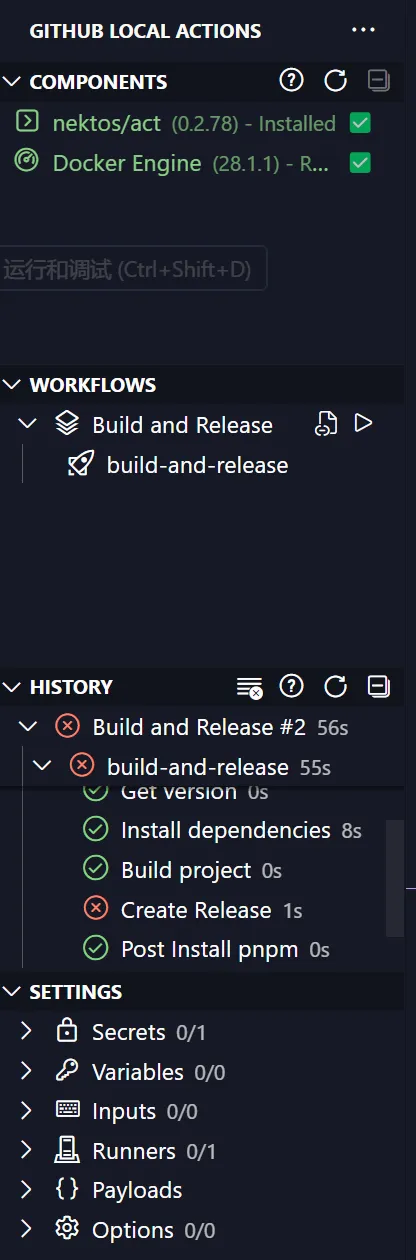
Below, I’ll mainly cover how to use the command line.
On the first run, Act may prompt you to choose the image needed to simulate the environment.
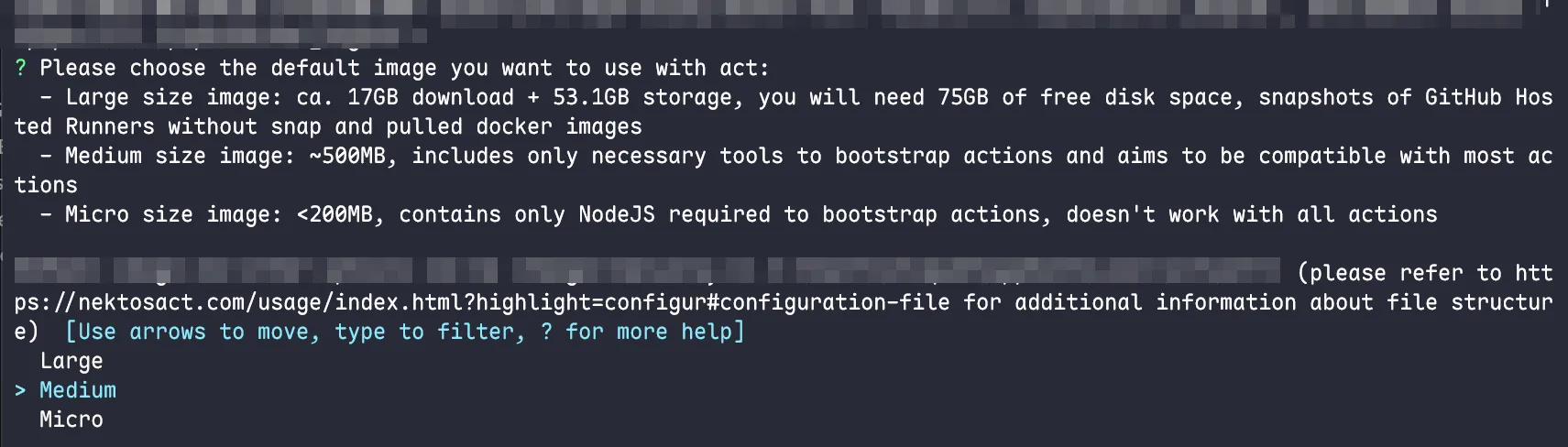
Choosing Large fully simulates the environment of GitHub-hosted runners, but the image is large and requires 75GB of space. If you don’t need it, just stick with the default Medium.
act supports basic events. That is, you can trigger the corresponding workflow for debugging by simulating events like push or pull_request. For example, if your repository has a test workflow triggered by pull_request, you can simply run act pull_request to test it.
You can also specify a single workflow to run with act -W '<path-to-workflow>'.
For more usage, check the official documentation.