Approach
When we use Claude Code, we normally need to interact with it through the command line, but that usually means we have to stay in front of a computer.
Think about it: our interaction with Claude Code is essentially just two things:
- Entering text;
- Choosing to approve or reject operations.
In fact, we don’t need a computer at all to interact with it. In theory, we could use only a phone, connect to the computer in some way, and get the interaction done.
That said, there’s already a straightforward naive approach: remotely control the computer from the phone, then interact with Claude Code. But this approach is awkward in practice—for example, input method issues when typing, or needing arrow keys to approve/reject.
If there were a user-friendly app on mobile, or a server-style version like VS Code, the experience would be much better.
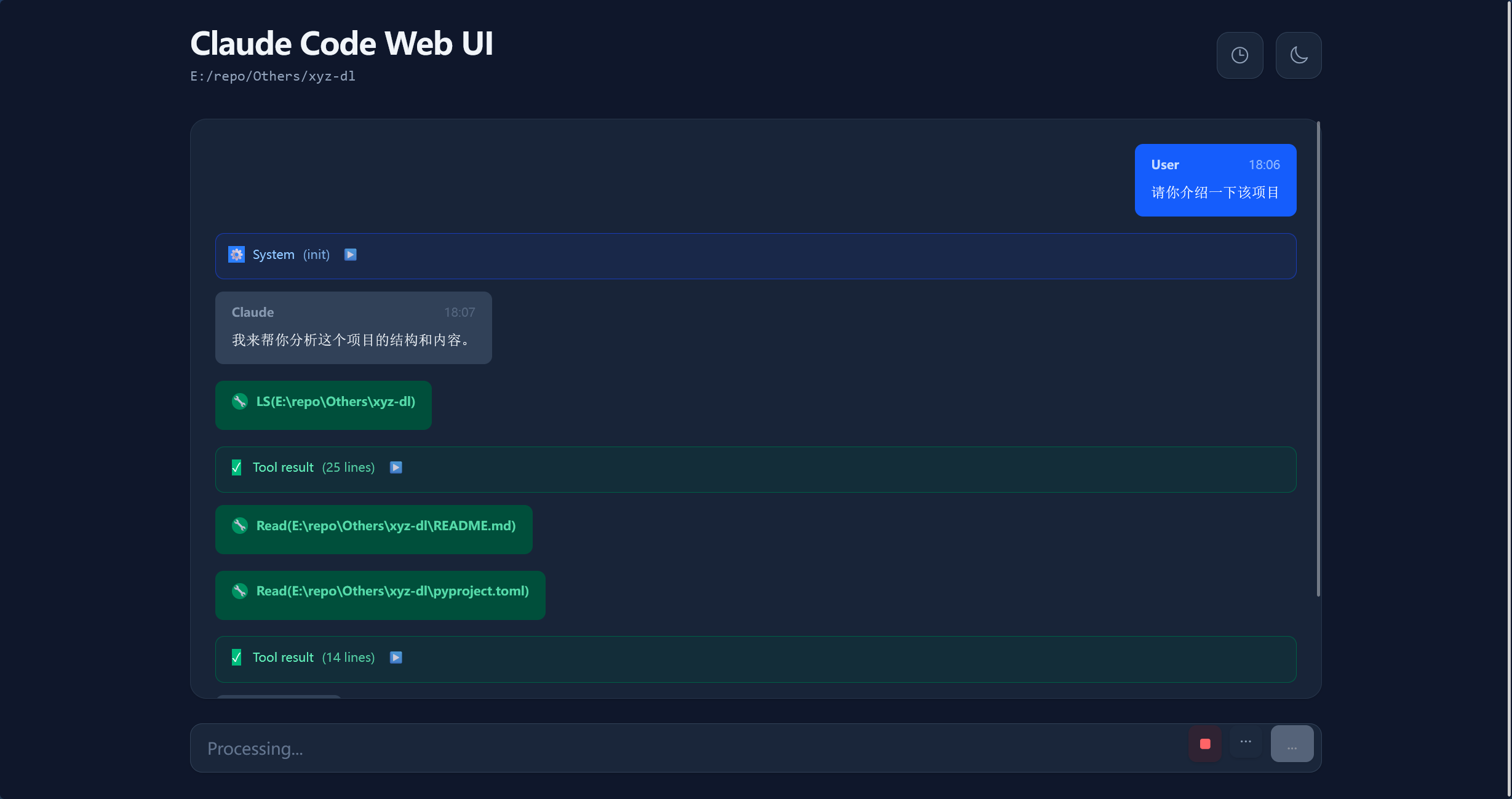
With that in mind, I first found the claude-code-webui project, which lets you interact with Claude Code through a web page. However, it currently has no authentication, and after trying it out, it feels fairly bare-bones.
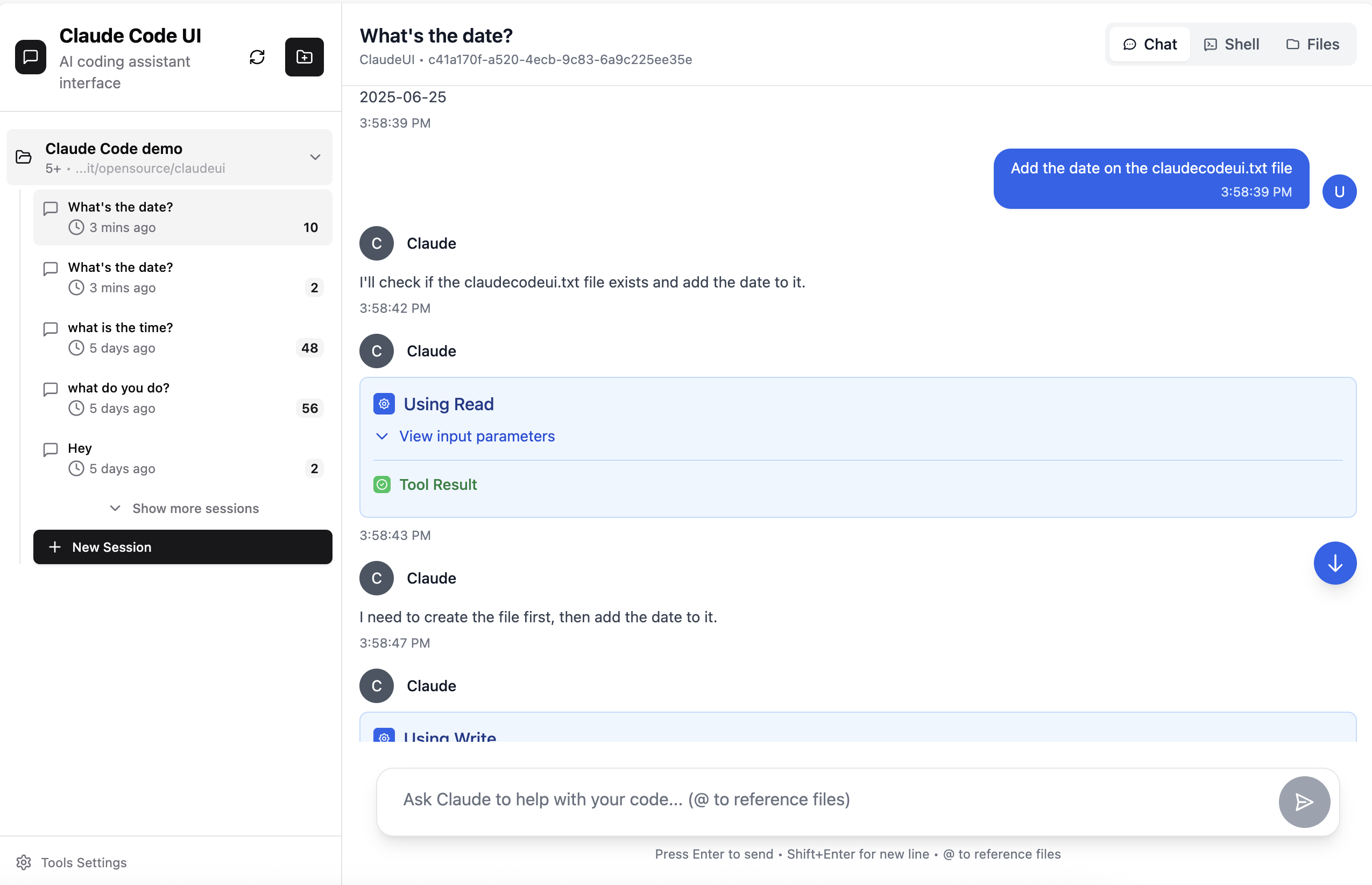
Then I found claudecodeui, which looks much more polished.
The remaining problem was network configuration. My requirement was to be able to connect to the service running on my computer even when I’m not on the same LAN.
I thought of Cloudflare Tunnels, which can be used for tunneling, and then binding my own domain through Cloudflare to enable remote access.
Cloudflare Tunnels is a free service provided by Cloudflare. It securely exposes local or private network services to the public internet without opening firewall ports, configuring a public IP, or using a reverse proxy (such as Nginx).
Prerequisites
To remotely command Claude Code like I do, you’ll need the following:
- Claude Code working locally on your computer;
- A domain name bound to Cloudflare.
Detailed Tutorial
Install claude-code-webui
First, make sure Node.js 20 is installed.
Clone the project:
1 | git clone https://github.com/siteboon/claudecodeui.git |
Install dependencies.
1 | npm install |
Start the server.
1 | npm run dev |
At this point, visit localhost:5173 locally to test whether Claude Code works properly in the web page. On first use, you’ll need to set a unique username and password.
Once everything works, continue with the configuration.
Cloudflare Tunnels Configuration
Cloudflare Tunnels is a free service provided by Cloudflare. It securely exposes local or private network services to the public internet without opening firewall ports, configuring a public IP, or using a reverse proxy (such as Nginx).
Go to one.dash.cloudflare.com, navigate to Networks > Tunnels, click Create Tunnel, and select the Cloudflared type. You can name it whatever you like.
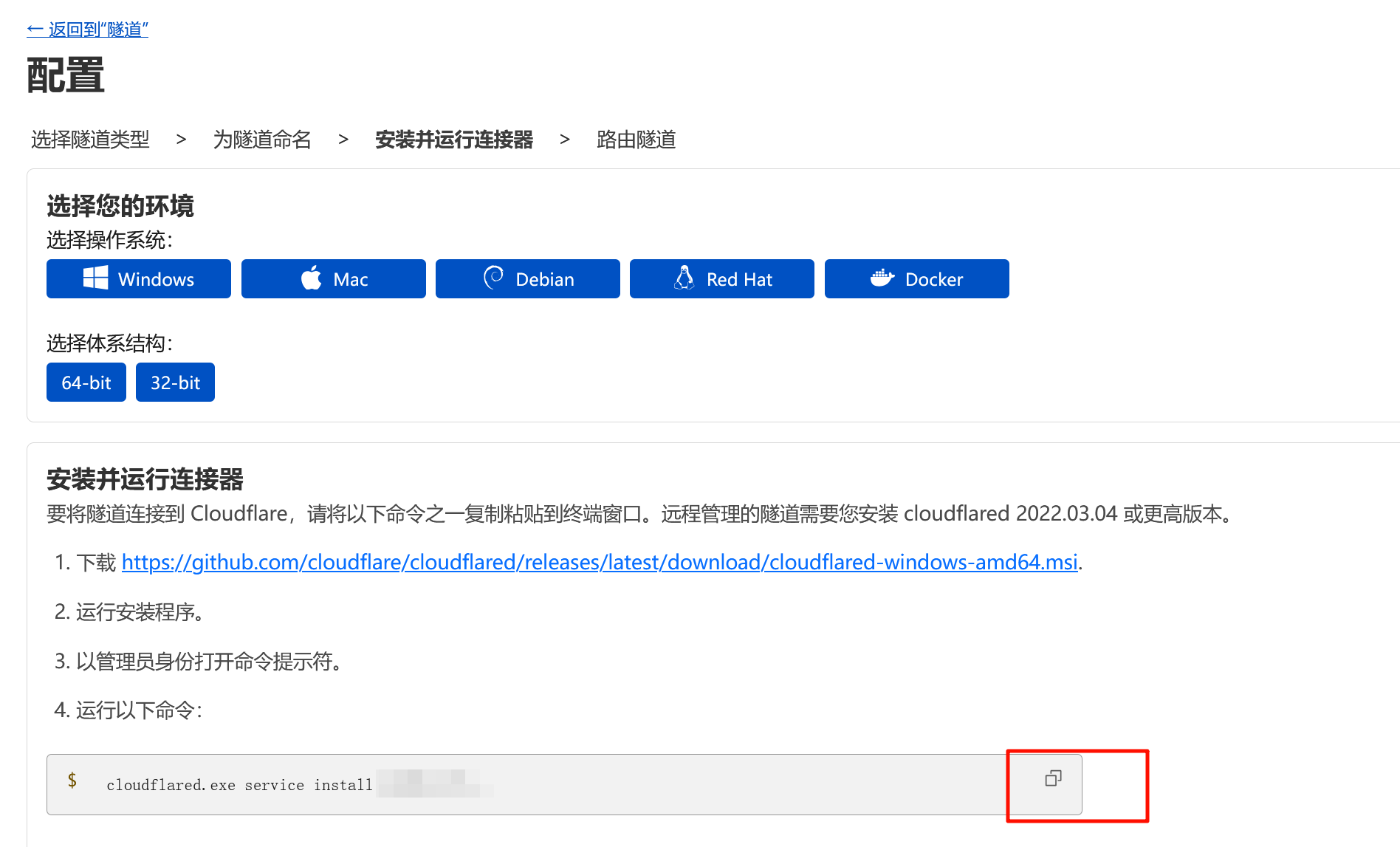
When configuring, follow the instructions to download the cloudflared command-line tool. After downloading, make sure to run the prompted command with administrator privileges. Once connected, the connected connector should appear at the bottom of the page.
Next, in the first row, select your domain. In the second row, select the local service URL (note: choose your local port, which defaults to 5173).
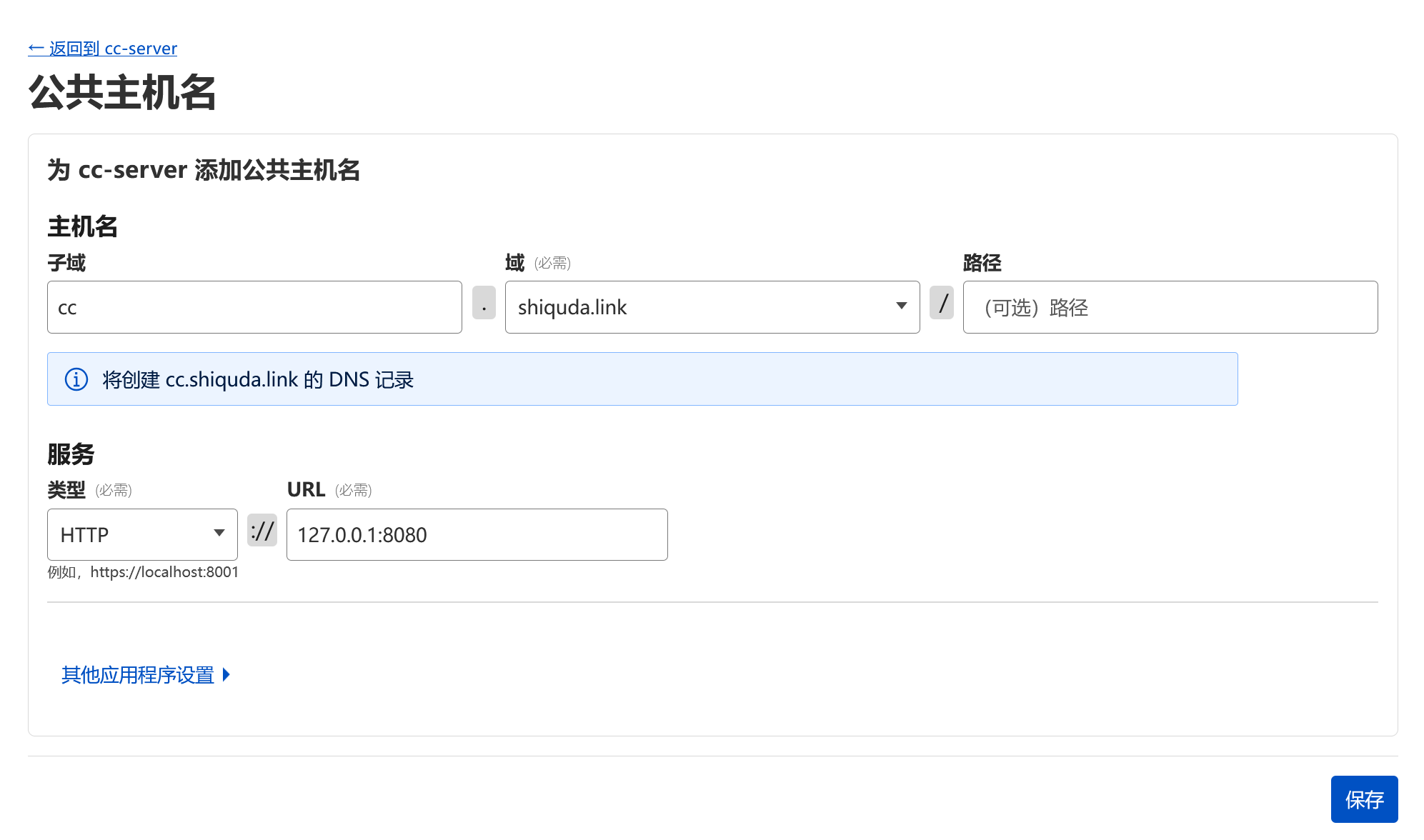
After this step, visiting your configured domain from your phone should give you normal access to the service.
Cloudflare Zero Trust (Optional)
Since this domain now connects directly to your computer through Cloudflare Tunnels, and this project is relatively new, there may be potential security concerns. We can also add external authentication to the service by configuring Cloudflare Zero Trust to further harden security.
Note: this step requires completing payment method verification for the Free Plan first. The author successfully bound a China-region PayPal account.
Go to Access > Applications and click Create.
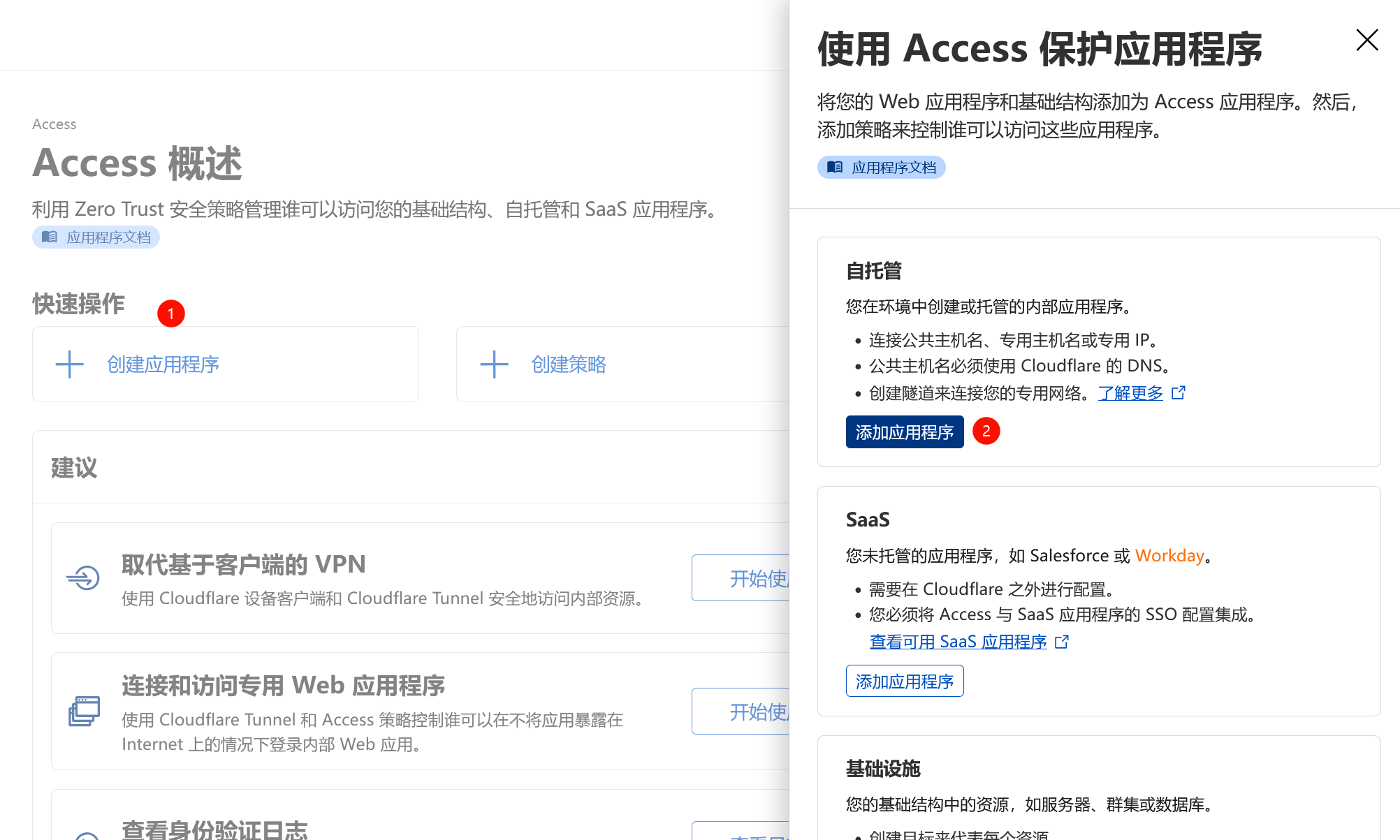
Fill in the public hostname with the domain from earlier.

Next, add a policy. Here I chose email verification and entered my email address as the value.
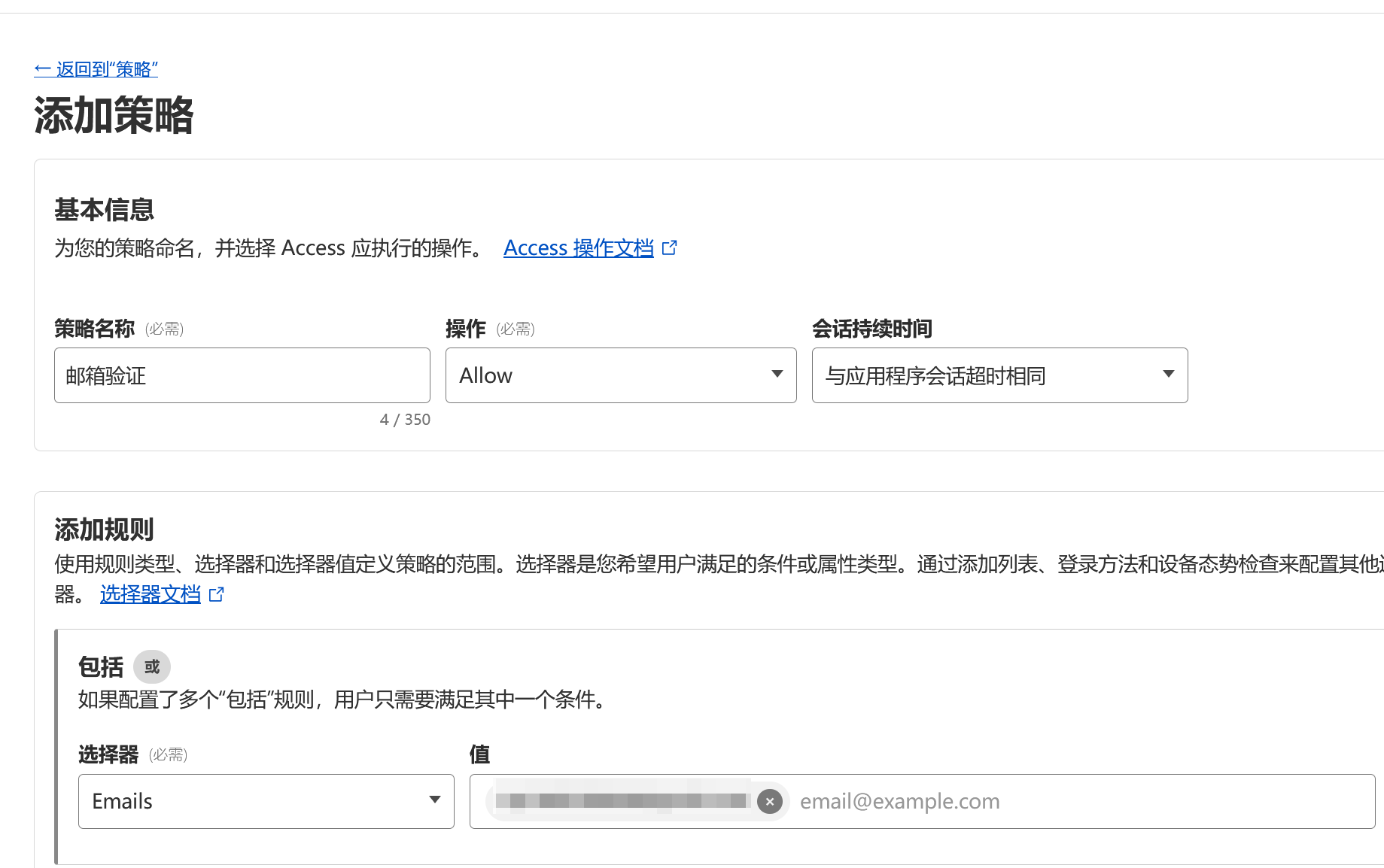
Go back to the created application and select this policy. Now, when visiting the domain, a verification code will be sent to your email before you can access the service.

Now you can command Claude Code from your phone.
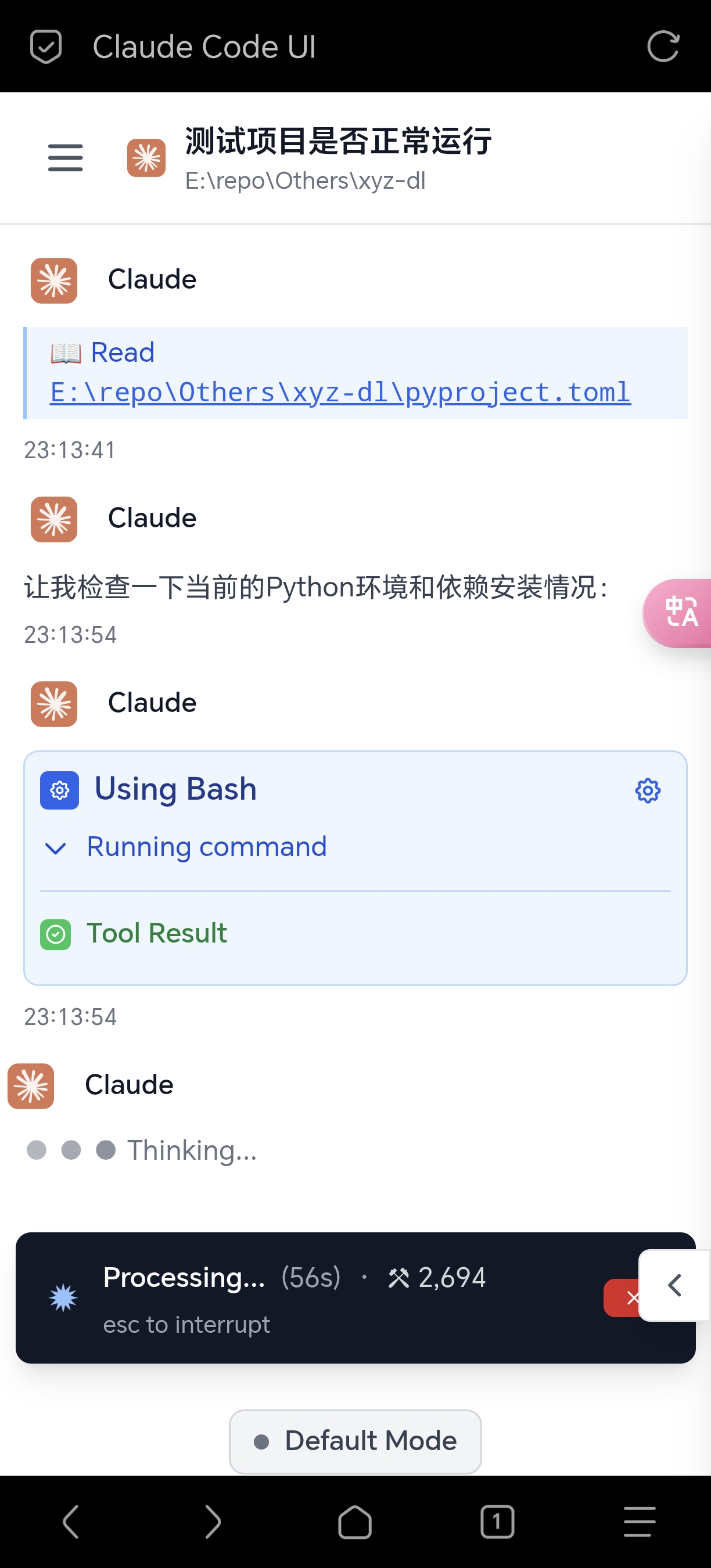
At the bottom, you can switch modes, including auto-accept edits, Plan mode, and Bypass permissions (skip permission checks), among others.
Cloudflare Tunnels runs as a daemon on your local computer and starts automatically. When you need to use it remotely, just run npm run dev to start the project. If needed, you can also configure the project to start automatically on your own.