This article is based on my shallow understanding of browser extension reverse engineering, along with experience from reverse engineering several browser extensions. It will cover four parts: basic concepts, reverse engineering knowledge and tools, the basic reverse engineering workflow, and hands-on practice. The article is bound to contain errors or omissions, and feedback and discussion are welcome!
Basic Concepts
What is a browser extension?
A browser extension (commonly called a browser plugin) can do a lot of things—modifying web pages, intercepting and modifying requests, controlling the browser, and more. Generally speaking, browser extensions are built with HTML/JS/CSS—the “front-end trio.” They leverage APIs provided by the browser to implement various features.
In most cases, extensions built on the Chromium engine only need minor modifications to run in Firefox, and the Chromium ecosystem has a richer selection of extensions. So the rest of this article will focus on Chromium-based browsers.
What’s inside an extension package?
Some readers may have noticed that when you install a browser extension, the browser actually downloads a .crx file. This .crx file isn’t a compiled binary—it’s essentially just an archive. If you rename the extension to .zip, any archive tool can read its contents.
Once extracted, you’ll see the extension’s files. A simple extension directory structure looks like this:
1 | |-- extension-directory |
The extension’s .js, .html, .css files may also live in subdirectories.
The rest of this article assumes you have some familiarity with .js, .html, and .css. In short: .html is the skeleton of a web page, .css is its clothing, and .js is its soul.
The files we care about most are:
manifest.json: The configuration file containing the extension’s name, version, permissions, etc.—similar to Android’sAndroidManifest.xml.background.js: The background script that handles the extension’s interactions and global logic.content.js: The content script injected into pages, used to modify page content, intercept requests, etc.
manifest.json specifies the paths to background.js, content.js, and other files, while .html files typically describe the extension’s UI, and may also include .js or .css scripts and stylesheets.
What is reverse engineering?
In this article, “reverse engineering” is essentially a fancy word for “cracking.” If you’ve had some reverse engineering experience, or have heard about it, you might picture something like this:
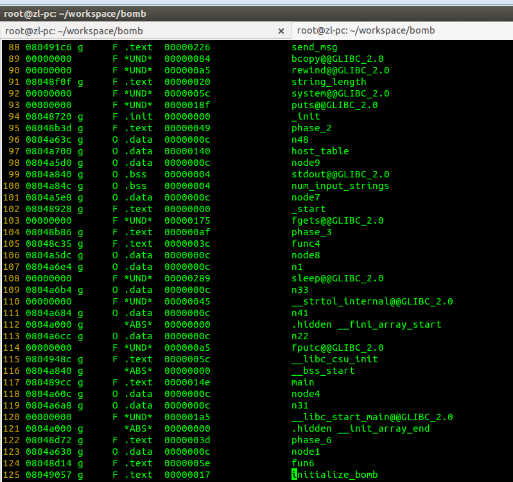
But in reality, reverse engineering a browser extension is much simpler than that. It looks more like this:
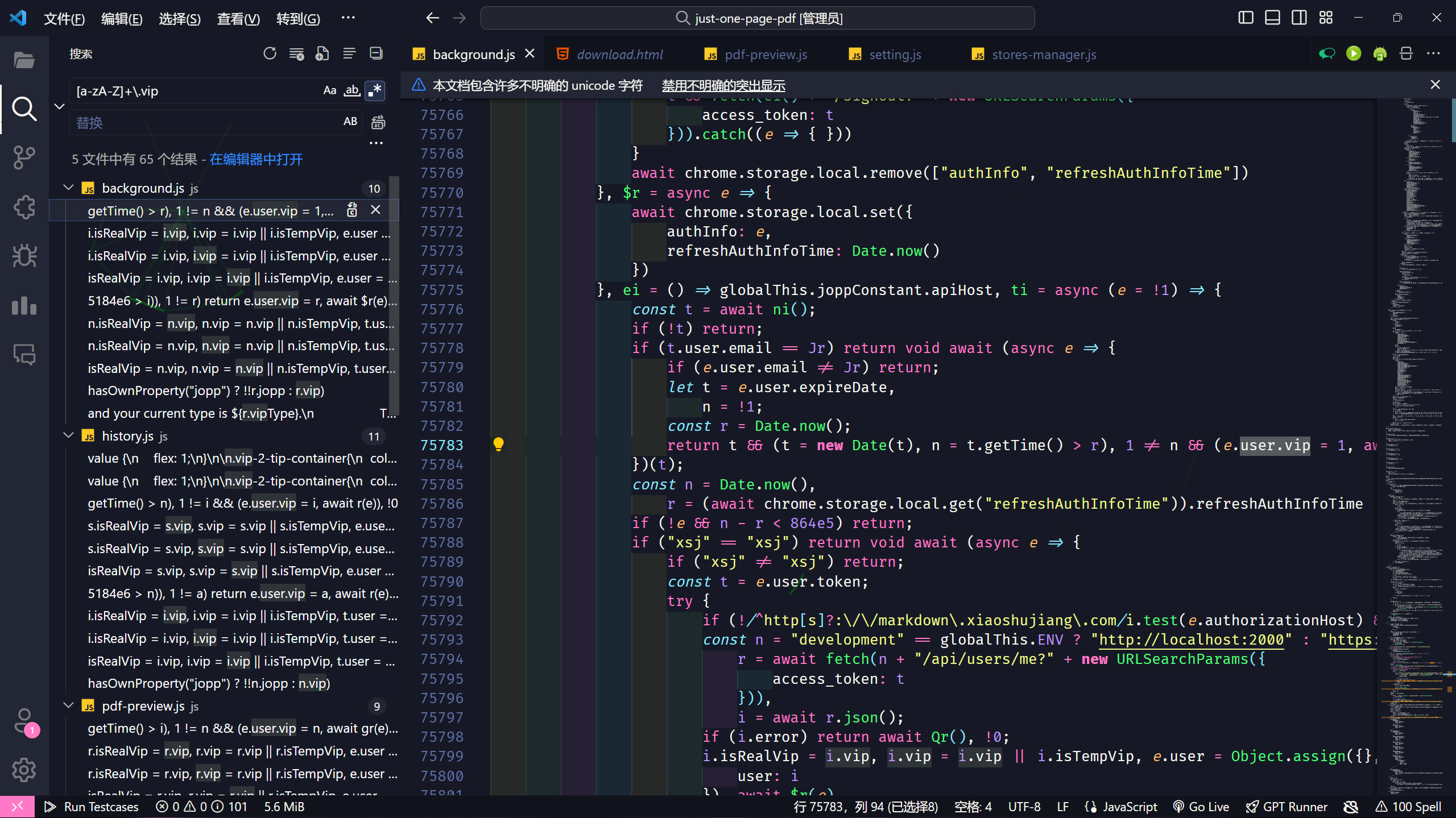
To put it plainly, it’s about sifting through tens of thousands of lines of minified, obfuscated code, using search tools to locate the key logic, and making (often very simple) modifications to unlock premium features.
Of course, this may not be hard for readers with some coding background, but cracking still requires certain methods and techniques. The main goal of this article is to share some of those methods and techniques based on my experience, so you can avoid common pitfalls.
Can every extension be cracked?
Not necessarily. If an extension’s core functionality depends on the cloud (e.g., immersive translation) and the cloud performs authentication, there’s very little you can do locally.
However, if the functionality relies on local code and the cloud only handles membership verification, then it can usually be cracked. In fact, such extensions are almost certainly crackable.
But what you should really ask yourself is: Is this extension worth my time to crack the premium features? Compared to just paying for it, what do I gain and what do I lose?
Just like setting a traditional password for your account—theoretically, no password is uncrackable. Setting a password is a trade-off between convenience and security. From the cracker’s perspective, when the cost of cracking exceeds the benefit, no one will bother with such a thankless task.
So before cracking an extension, think carefully about what you stand to gain and lose.
Reverse Engineering Knowledge and Tools
Required:
- A browser: you need one, obviously…
- Basic JavaScript syntax
- An IDE: a tool for actually modifying code. VSCode-style editors are recommended.
Optional:
- HTML/CSS
- Debugging tools: Chrome DevTools
- Regular expressions: for matching code or batch replacements
- Git: for tracking your cracking changes, making it easy to roll back
- Code beautifiers and deobfuscation tools, covered later
Basic JavaScript Syntax
To crack a browser extension, you at minimum need some understanding of JavaScript and common syntax, such as:
- What variable types exist?
- What is a function?
- What is an object?
- …
And so on. In practice, some other concepts are also important, such as:
- Ternary expressions
- Type coercion
- Asynchronous programming
IDE
VSCode is recommended for easy code editing and replacement.
Using Browser DevTools (F12)
Knowing some basic operations helps, though you may not always need them in practice.
Regular Expressions
Regular expressions are patterns used to match character combinations in strings. They let you find all parts of the code that match specific rules.
For example, to find all occurrences of something like e.user.vip in minified code, you could use a regex like this:
1 | [a-zA-Z]+\.user\.vip |
Git
Git is a distributed version control system used to manage code changes.
Honestly, this tool is optional, but in several of my cracking sessions, I’ve replaced key code and then broken the extension entirely, forcing me to start from scratch. With Git, you can save snapshots before and after key changes, making it easy to roll back.
Another advantage: if the extension updates and you think it’s worth cracking again, you can follow the original cracking process and apply the same changes to the new version.
Code Beautification and Deobfuscation
When you first get an extension, the code is rarely as clean as the earlier screenshot—it’s usually minified and obfuscated.
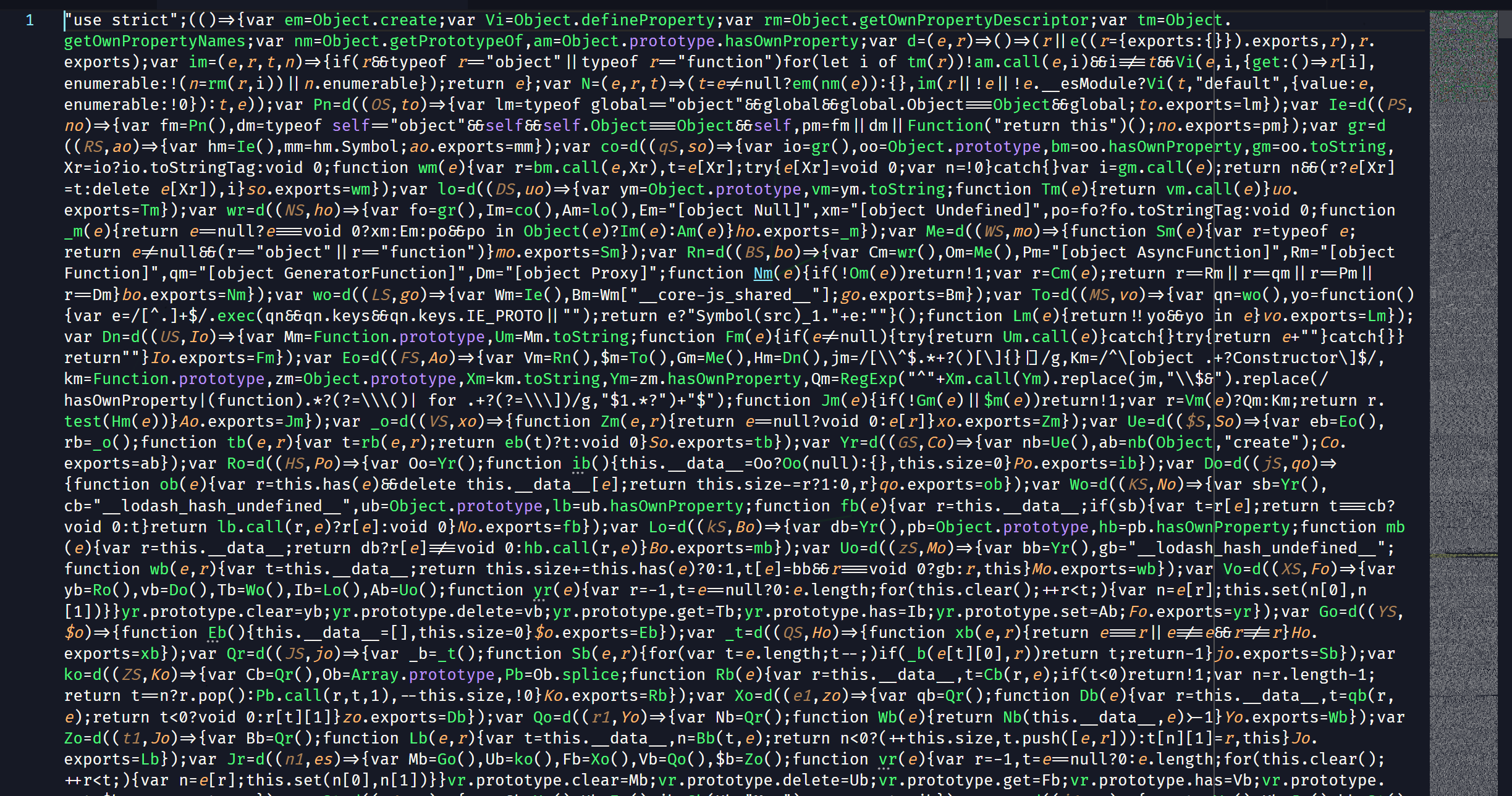
This isn’t because the author deliberately wrote it this way—it’s the result of running the code through minification and obfuscation tools after writing it.
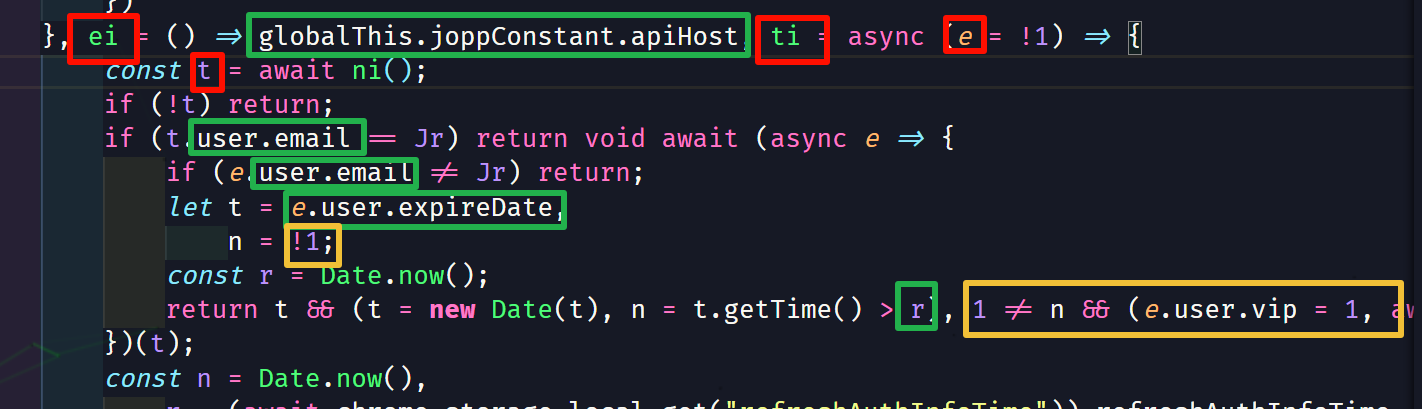
But in my experience, extension authors rarely obfuscate code very deeply. What they typically do is replace variable, function, and class names with meaningless names (usually short uppercase/lowercase letters), or rewrite certain code into harder-to-read forms—like replacing booleans with !0 and !1, heavily using ternary expressions, boolean && (execute logic) patterns, and so on. However, property names of classes usually remain unchanged, which becomes a key anchor for our reverse engineering analysis.
Below is a typical code snippet. The red box highlights replaced meaningless names, the green box shows unchanged class properties, and the yellow box shows code that’s been transformed into a more obscure form.
Further reading on obfuscation: JS Deobfuscation - Jartto’s blog
Generally, we use a code formatter to de-minify the extension’s code (mainly .js files), and then we can start cracking. VSCode and other IDEs have built-in formatting, but they can’t batch-format all of the extension’s code. Here’s a Python script I wrote earlier that can format all .js, .css, .html, and .json files in a project.
It’s better to use prettier for formatting. After installing prettier, you can format everything in the extension directory with a single command:
1 | prettier --write . |
Basic Reverse Engineering Workflow
Download and Install the Extension
Download
I recommend crxsoso for downloads—it’s accessible from China and lets you download the extension package directly as a .zip.
Install
For testing, I recommend using Chrome with a fresh user profile dedicated to testing. Avoid using your main browser so you can rule out interference from other extensions or scripts.
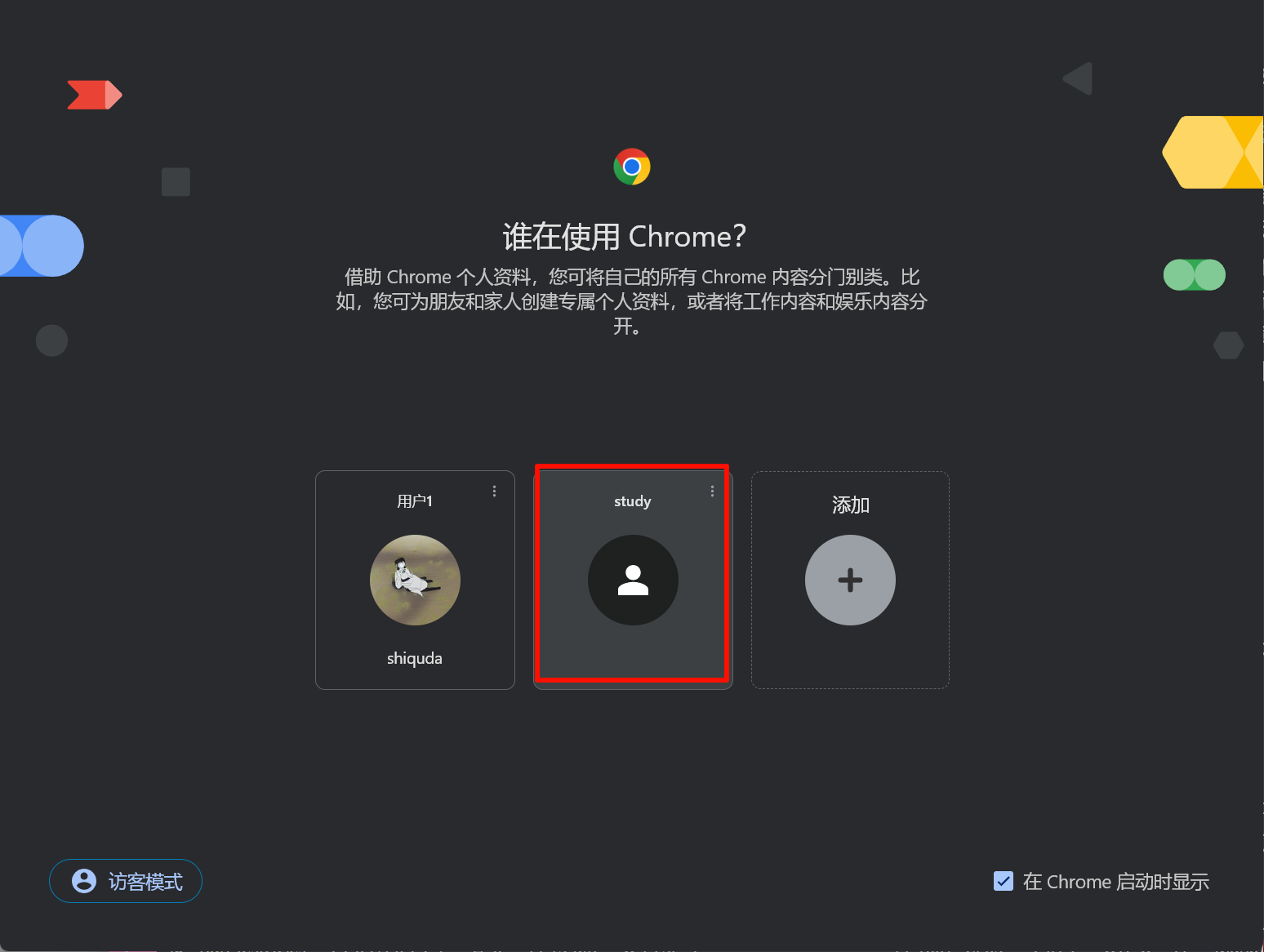
Extract the package to a suitable location, then open chrome://extensions in the browser, enable Developer Mode, click “Load unpacked,” and select the extracted extension directory.
Cracking Strategy
The core strategy is to find the code (often in background.js) that checks membership status, and modify it.
Of course, we can’t read through tens of thousands of lines of obscure code with our bare eyes. Instead, we use techniques to locate the key code.
If you’re not sure which file it’s in, that’s fine—you can use global search to search across all code in the extension directory.
So, how do you locate the key code?
Locating the Key Code
I generally use two approaches:
Search globally for keywords like
vip,会员,pro,premium,subscription, and see if you can find corresponding class properties. Use those as a springboard to find the core logic and modify it.Start from strings. While using the extension, find membership-related strings—like “This is a premium feature,” “您尚未开通会员,” “Free user,” etc.—then search globally for those strings and examine the surrounding code logic to find the core logic.
Generally, I recommend the second approach because it lets you quickly pinpoint the key logic. The first approach is more of a fallback when you have no leads.
One thing to note: if the text is in a non-English language like Chinese, the characters in the extension code may be escaped. If you can’t find the string, try escaping the file, or search for the unescaped string.
Here’s a handy developer tool collection called Ctools. It supports multiple platforms (including online use and a browser extension), is open source and free—no more hunting for random “online tools” on the web 😄
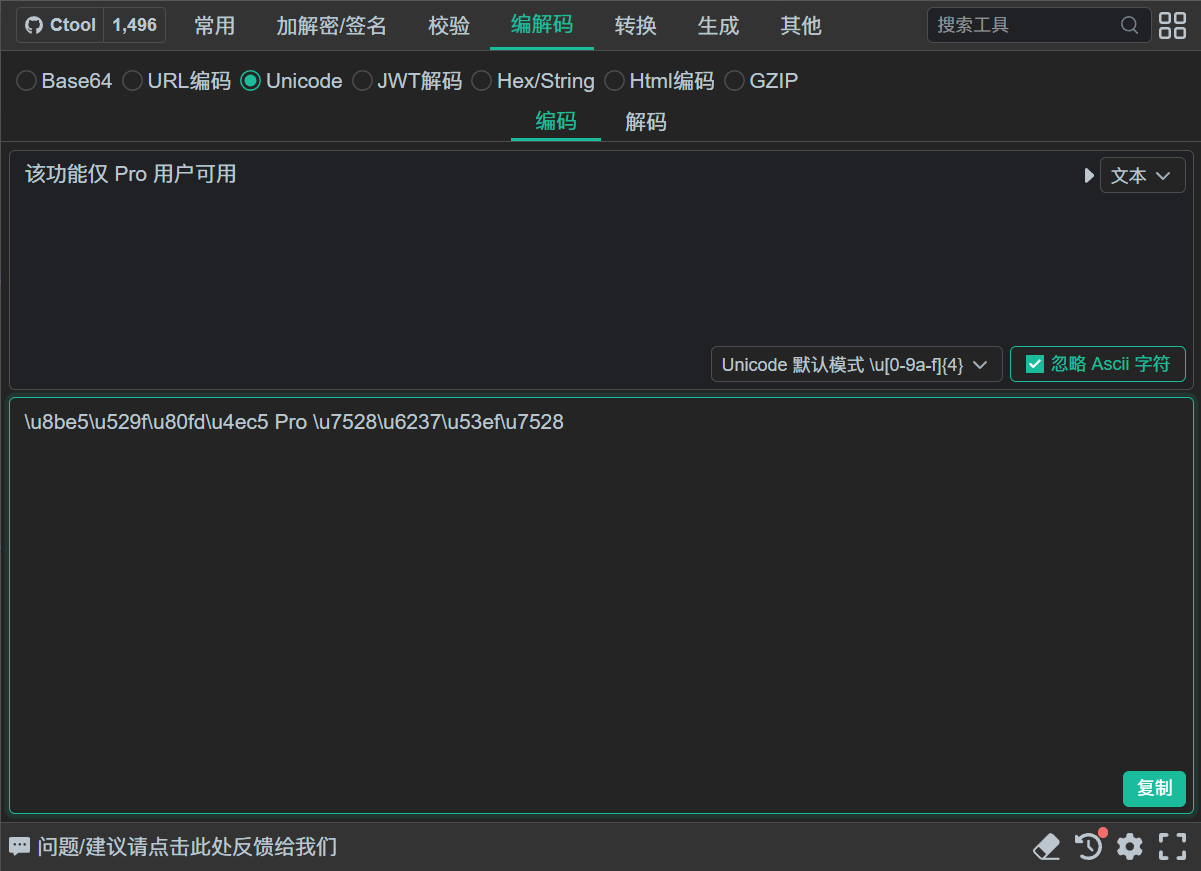
Searching for the escaped string:
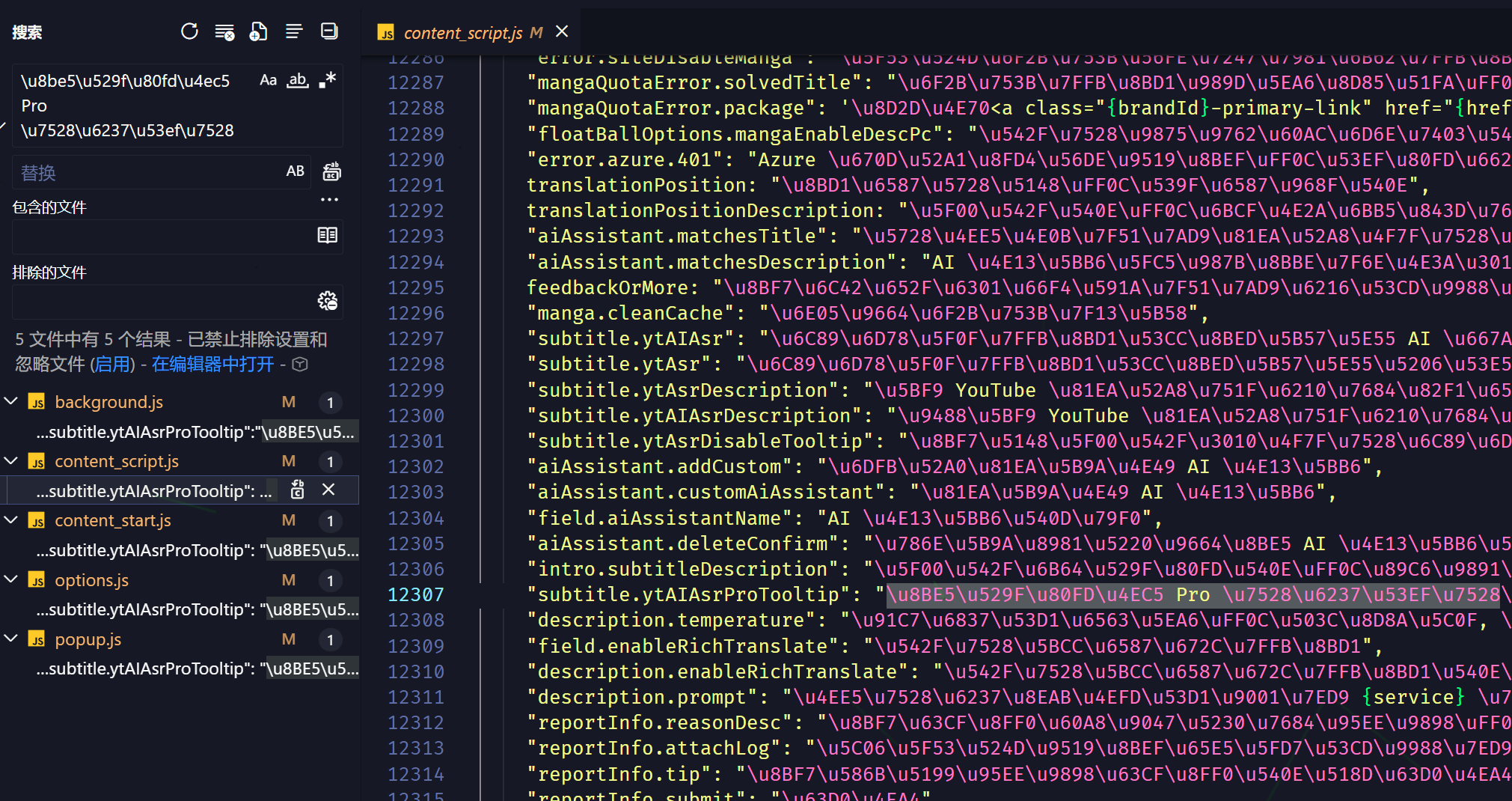
Modifying the Code
Once you’ve located the key code, most modifications revolve around boolean expressions.
For example, if the code has logic like:
1 | if (isVip) { |
We can change isVip to true or 1, making the extension think you’re a member. That’s the simplest example, of course—real code is often more complex, but the core idea is the same.
Testing
After modifying the code, you need to test it. Find the extension’s official website (if any) and click on Pricing—that’s usually where free vs. premium feature comparisons are shown.

Hands-On Demonstration
Let’s walk through the cracking process using a specific extension as an example. Extension download link
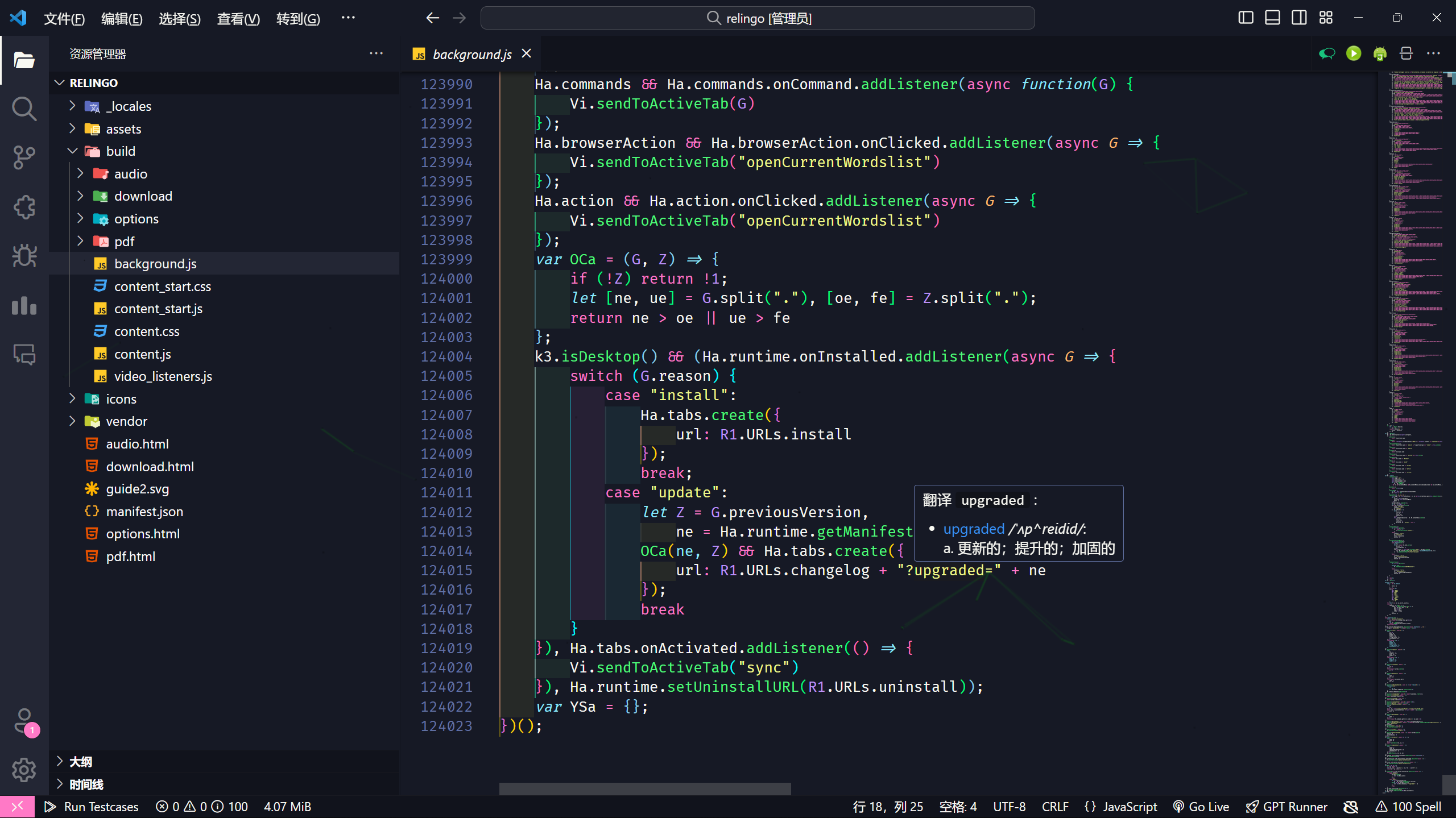
After extracting and installing, run the beautification script first to unfold the compressed code.
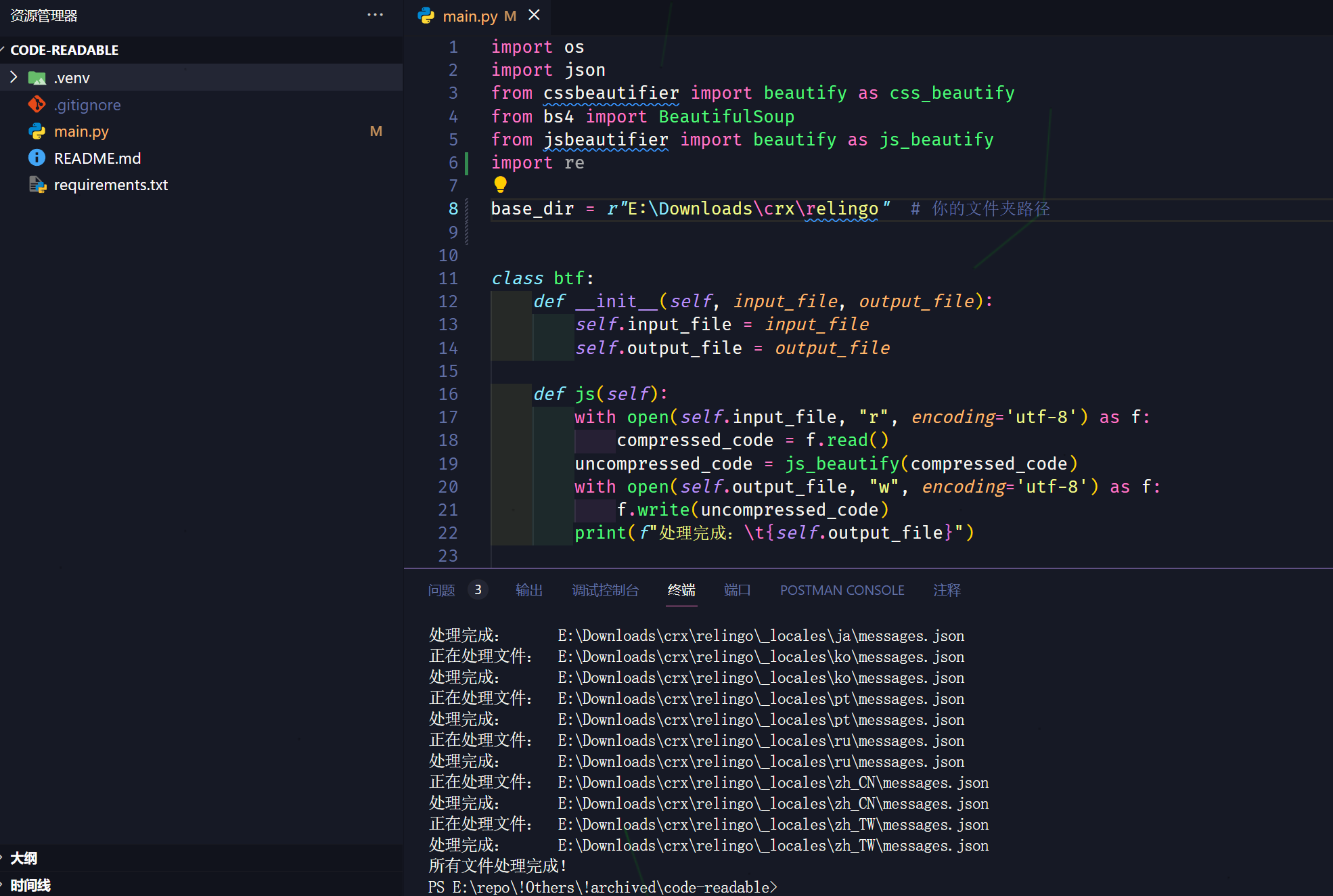
Turns out background.js has over 100,000 lines.
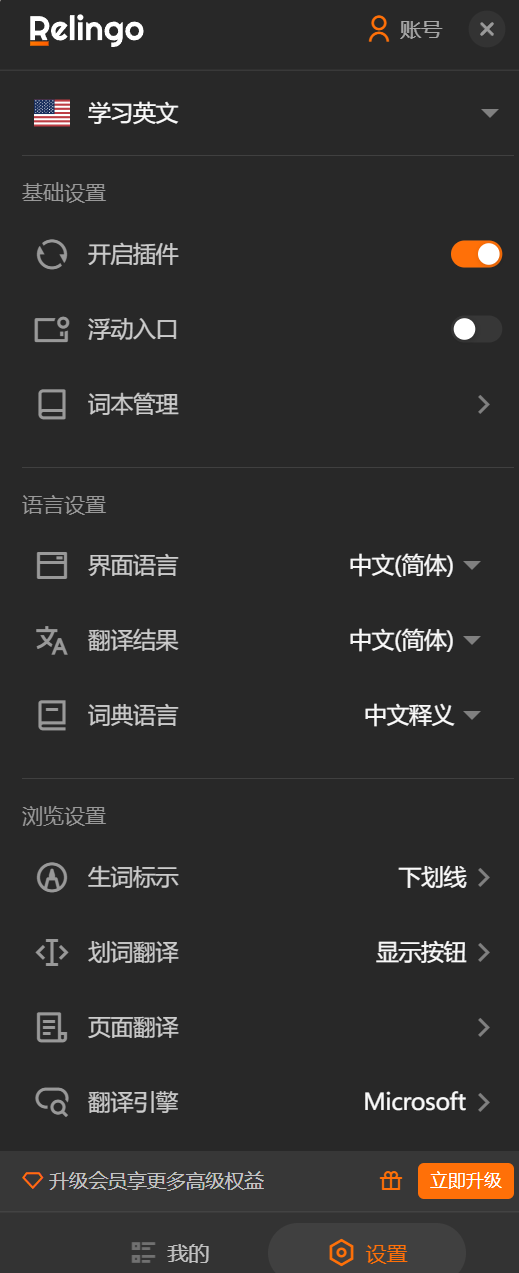
Back in the browser, open the extension, log in, and you’ll see a prompt encouraging you to upgrade to premium.
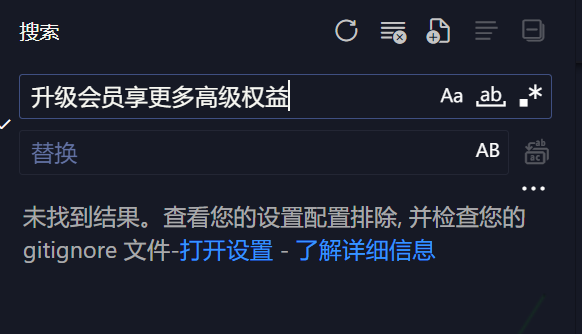
Searching for this string yields no results.
So let’s try searching for the Unicode-escaped version of the string.
1 | \u5347\u7ea7\u4f1a\u5458\u4eab\u66f4\u591a\u9ad8\u7ea7\u6743\u76ca |
Found a string.
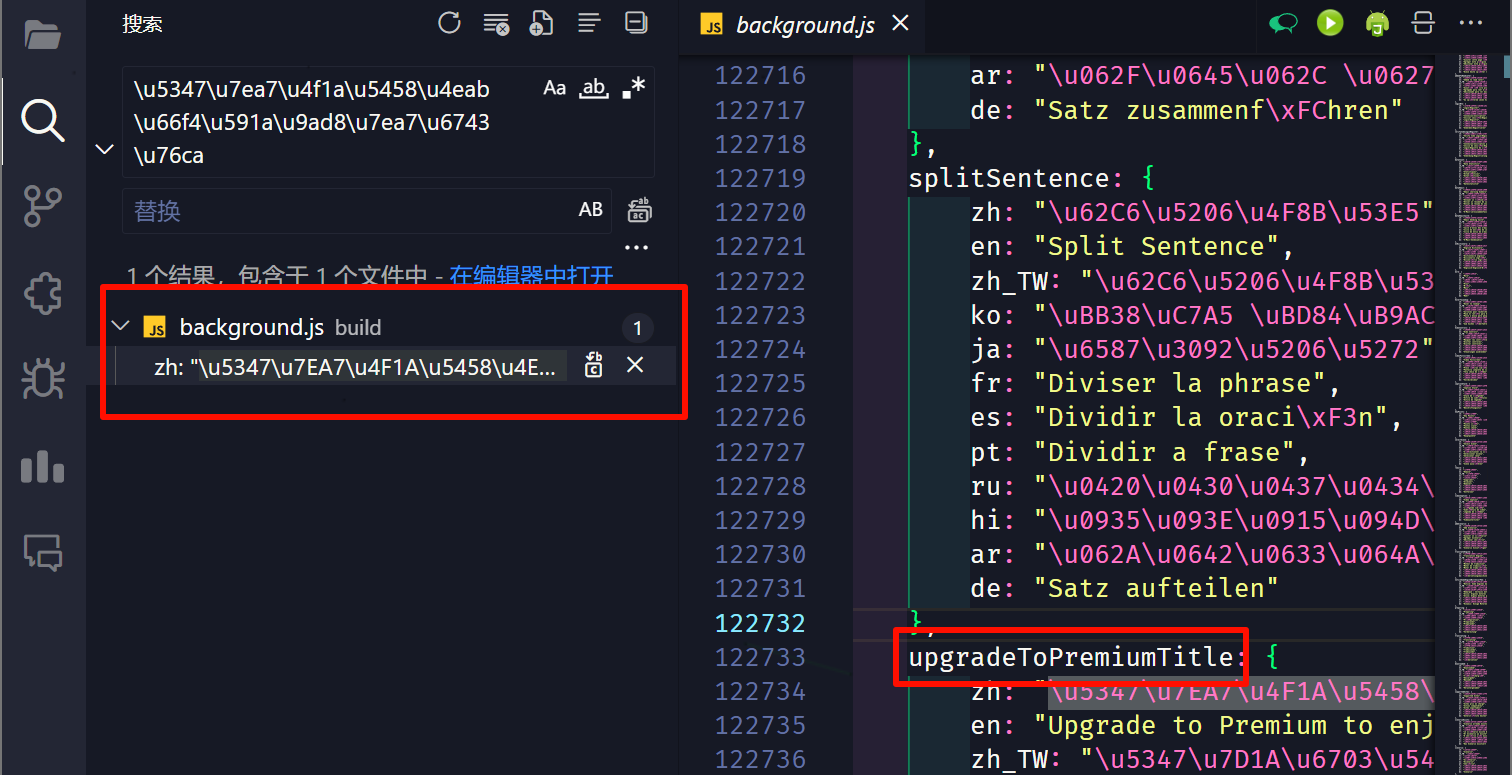
Let’s take the parent element name upgradeToPremiumTitle and search for that.
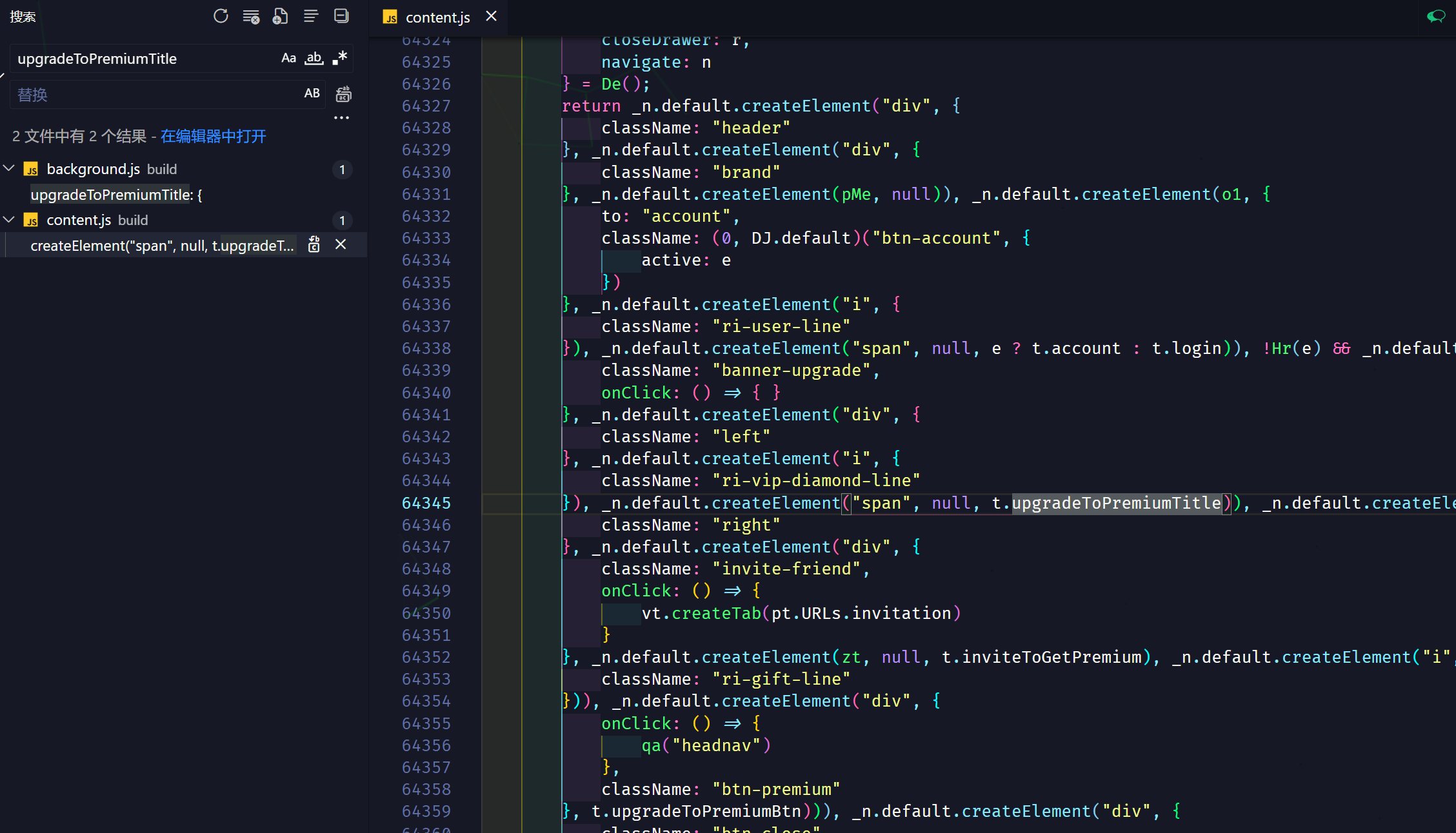
Nothing valuable nearby, so let’s try another angle—this time starting from actual functionality.
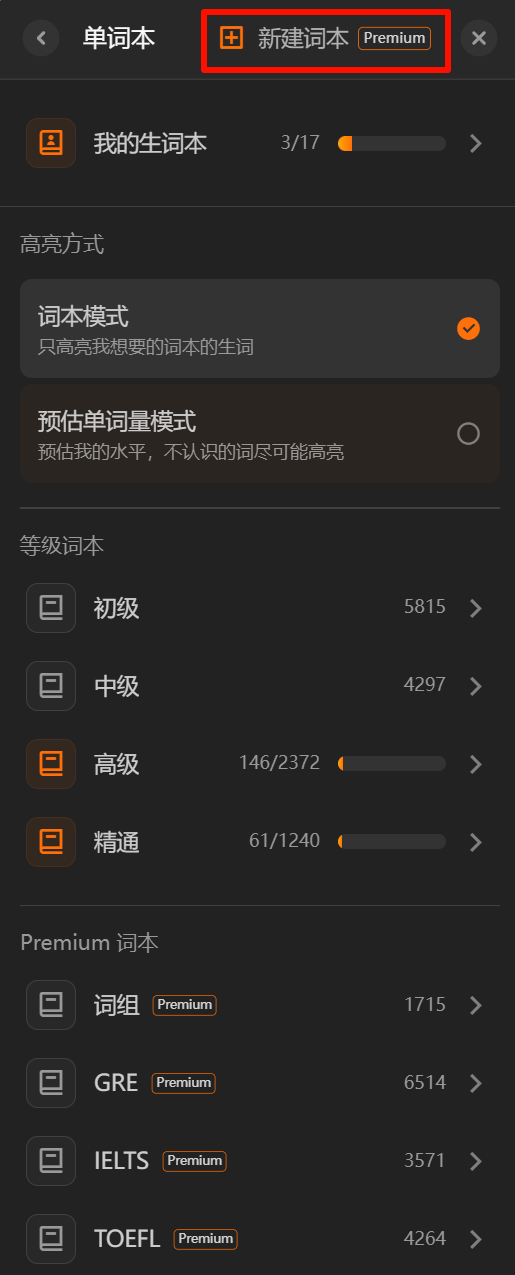
Clicking “New Wordbook” redirects to a premium upgrade page. Using the same approach as before, we search for “新建词本” and get the name creatNewWordBook. Search for that.
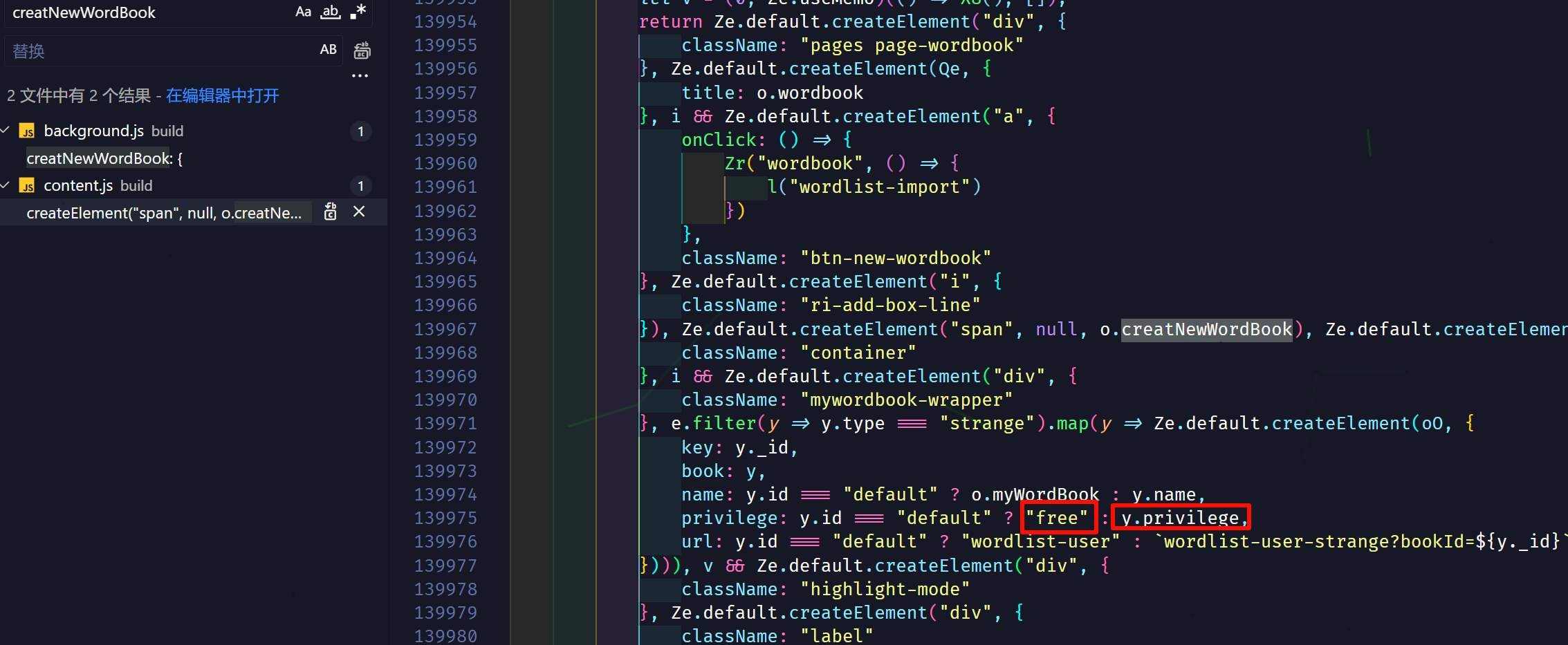
We see a previlege—this is likely the property that tracks whether the user is a member. (Turns out it wasn’t; it’s actually a property that determines whether a wordbook is premium-only.)
Continuing the search, it looks promising—we find several expressions that compare against "VIP".
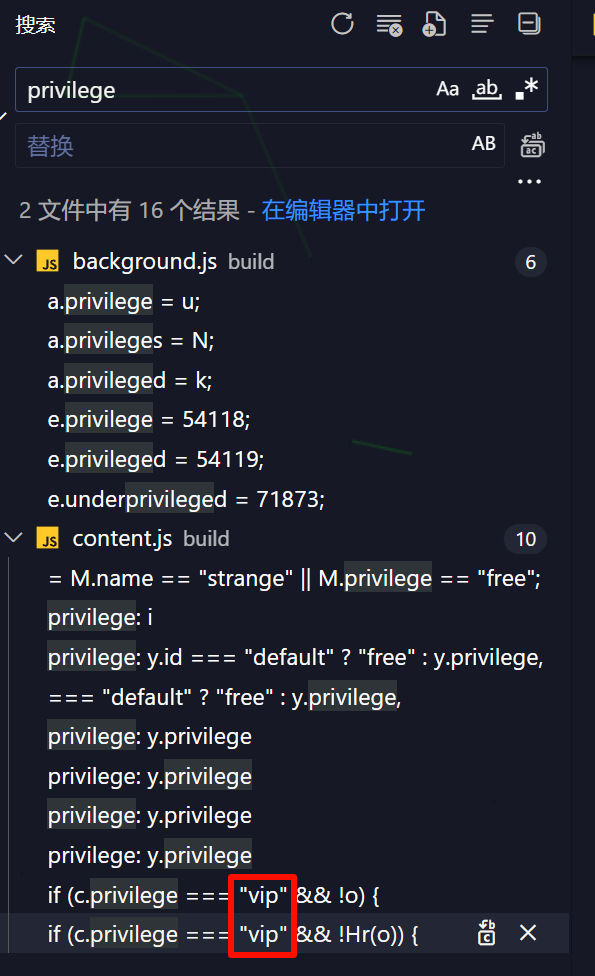
We need to modify all the privilege check logic. A simple approach is to replace expressions like y.privilg with "vip".
Wait—before replacing, let’s initialize Git locally so we can roll back later.
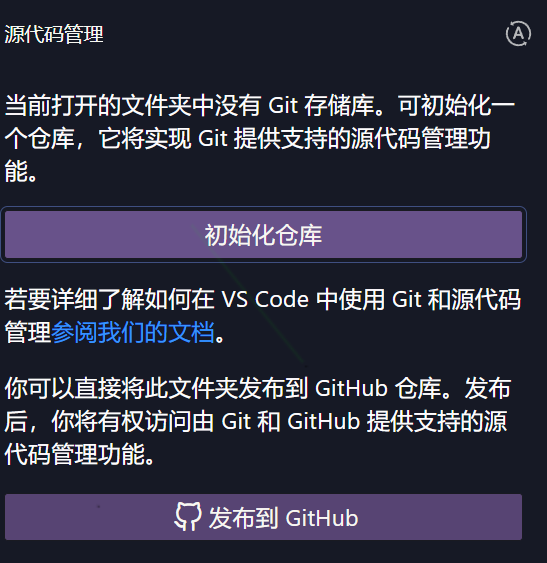
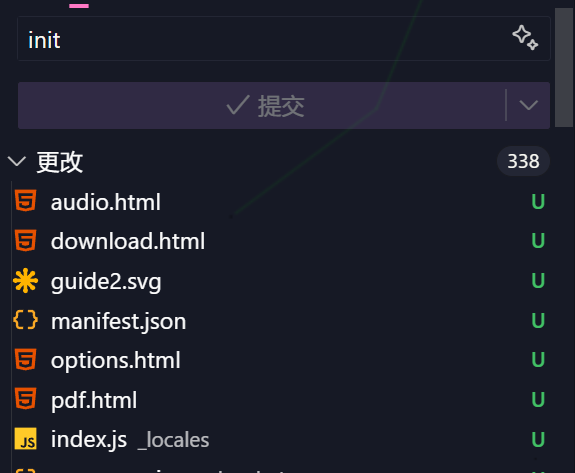
Just commit everything as-is.
Now modify all the check logic we found.

After saving, refresh the extension on the extensions management page.
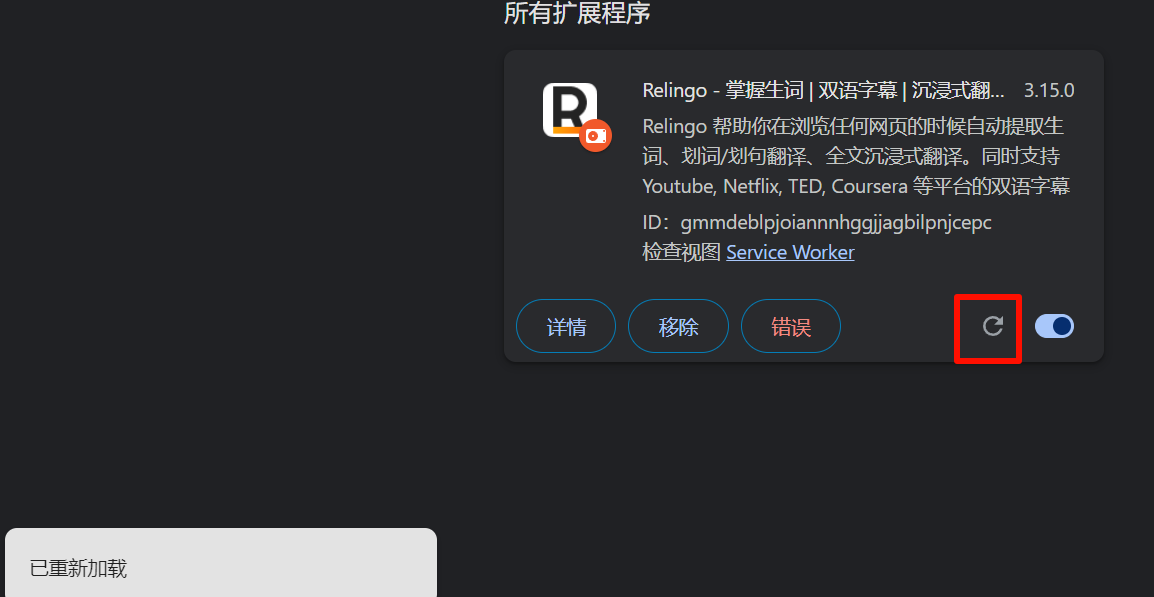
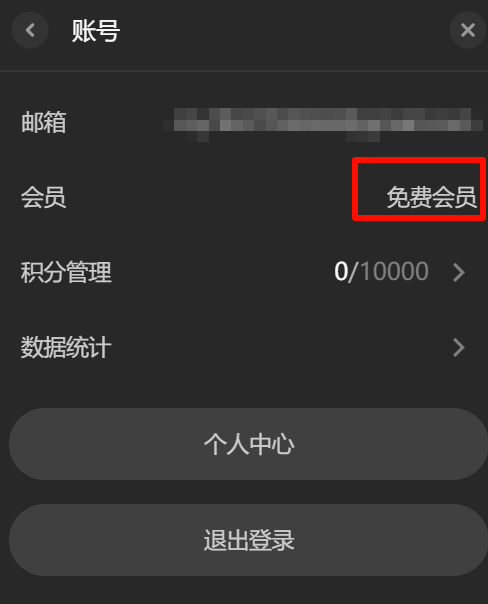
Testing shows the feature still isn’t unlocked. Time to find another entry point.
Search for this string:
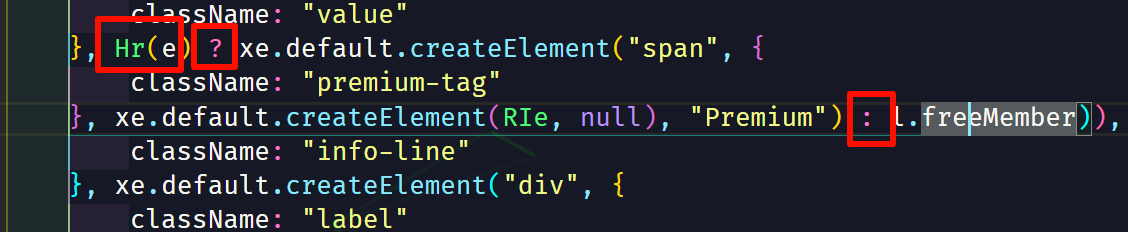
This is a ternary expression. Use Ctrl + left-click on the Hr function to jump to its definition.

Looks like it’s checking whether the membership has expired. Let’s just make it return 1.
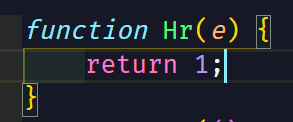
Also, searching for expireAt reveals the same function in index.js—let’s change that one too.
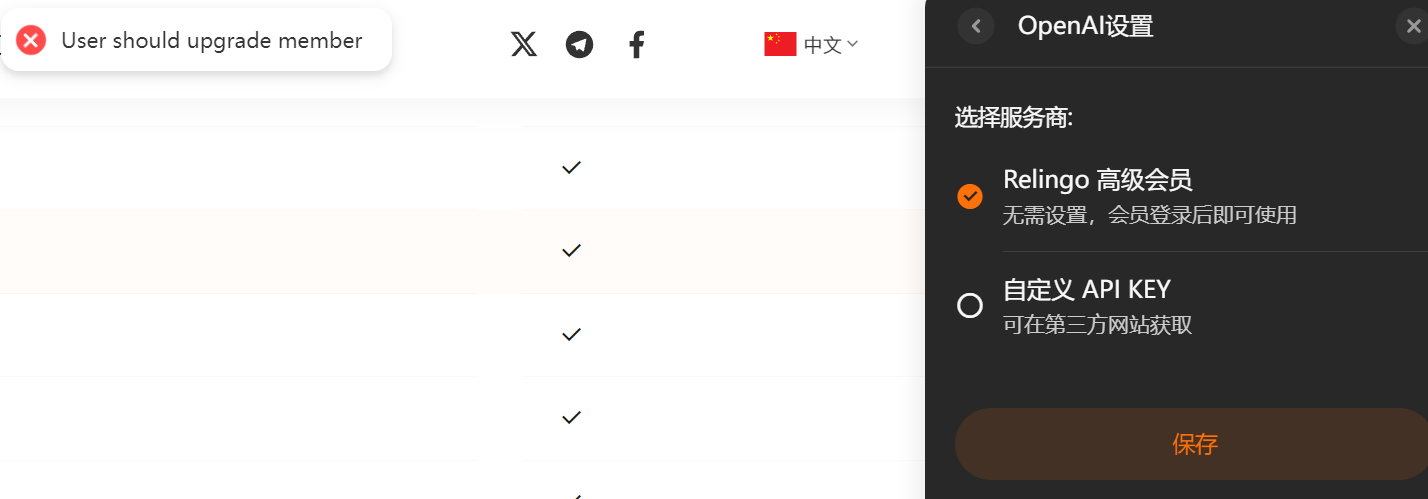
After refreshing, it now shows we’re a member.
Let’s say we stop cracking here. Now let’s check whether the various premium features actually work.
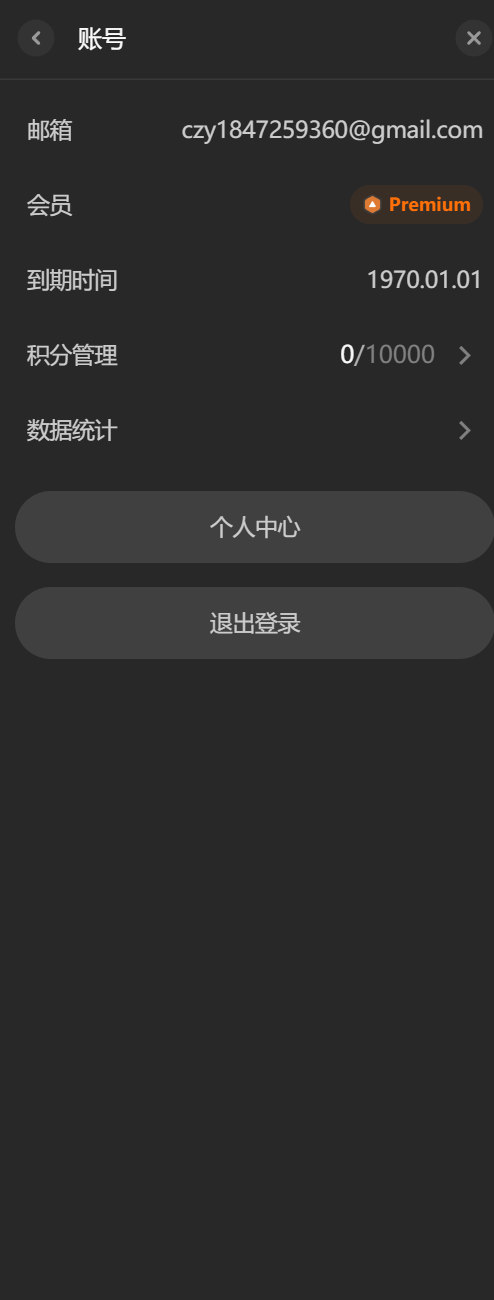
The advanced translation engine doesn’t work—there must be server-side validation, which is expected. So using credits for that won’t work either.
The English-English dictionary works fine.
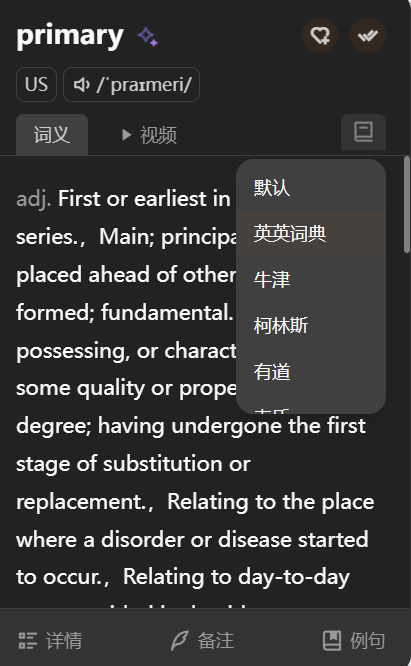
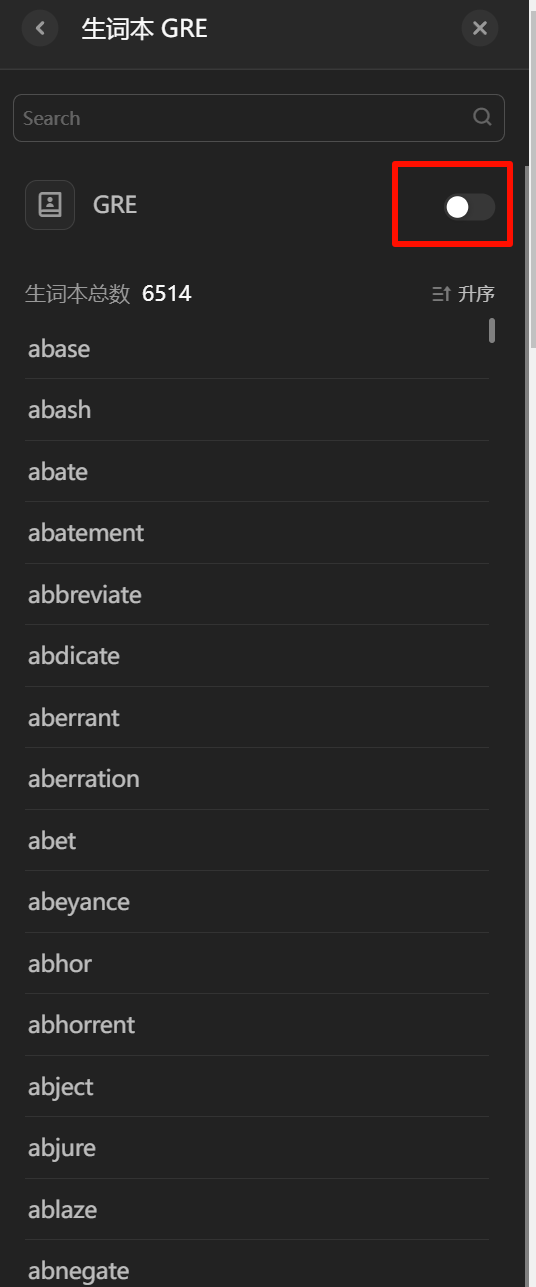
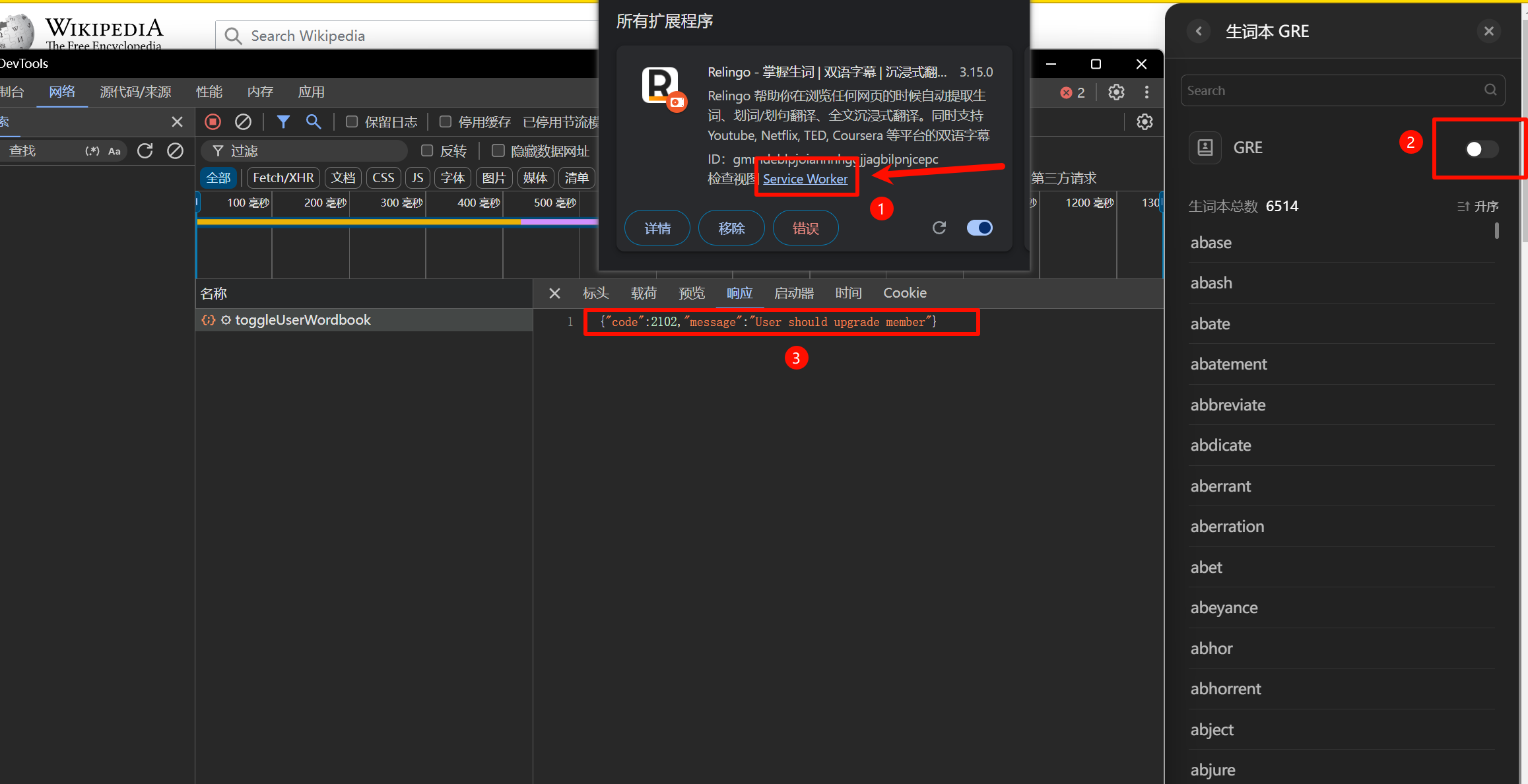
Advanced/professional wordbooks no longer redirect to the upgrade page when clicked, but nothing happens after waiting a while.
Packet capture reveals server-side validation. Setting that aside for now.
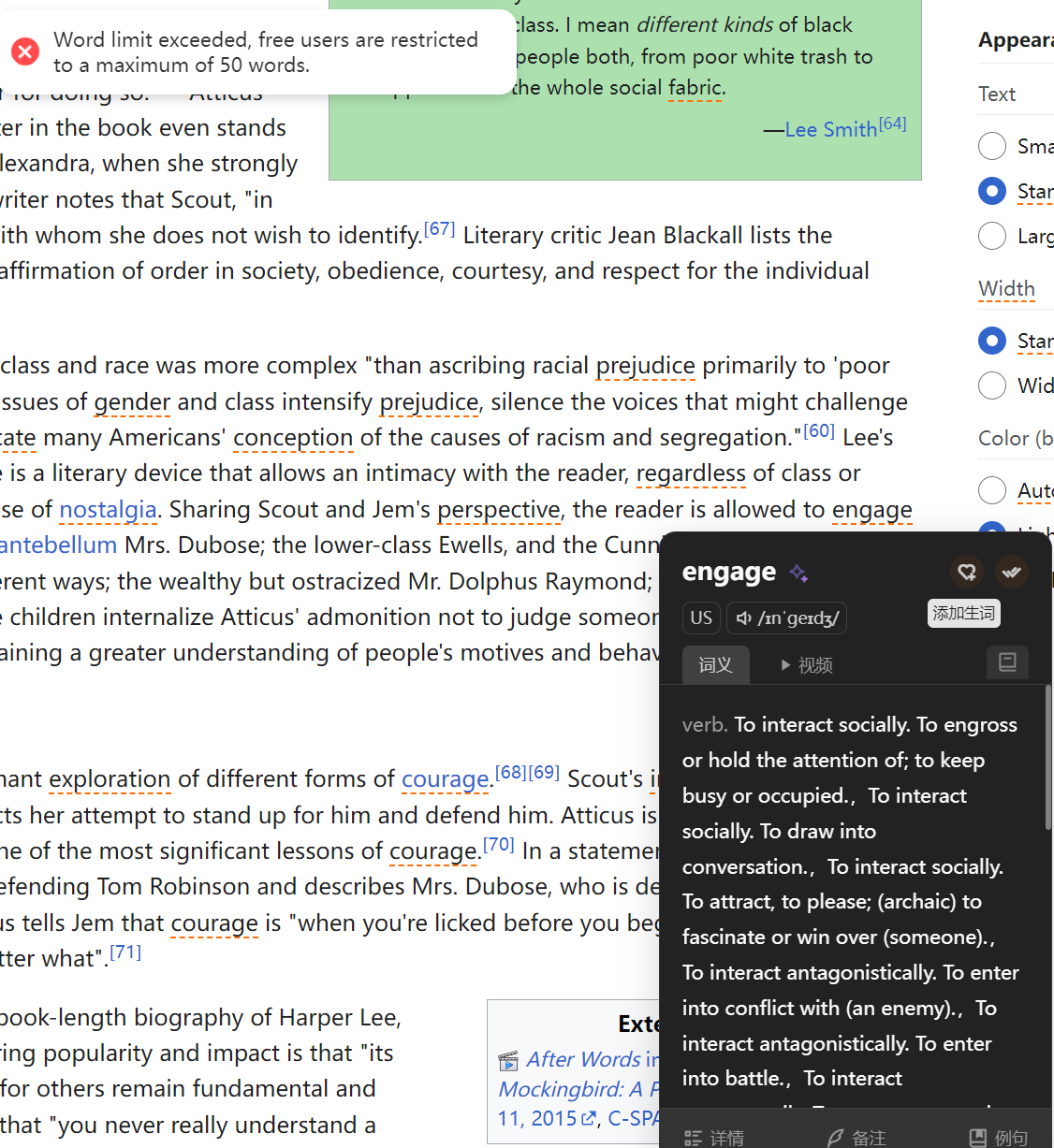
Advanced definitions—couldn’t find this feature; guessing it’s AI definitions. Testing shows the server also requires a premium upgrade.
AI grammar analysis—couldn’t find this feature either.
Unlimited word storage: in the version I previously cracked (v3.9.0), I could add words without limit. But this version won’t allow it—after 50 words, the server returns an error.
This is another benefit of using Git: I didn’t save my previous reverse engineering process, and I completely forgot how I did it 💦
I guessed the older version might not have had cloud validation, but packet capture analysis shows both versions require cloud validation.

Careful analysis reveals the difference: they send requests to different API domains. api.relingo.net doesn’t check whether you’ve exceeded the 50-word free limit, while cn.relingo.net does. So I searched for keywords and found a key name, endPoint, which seems to represent the API domain.
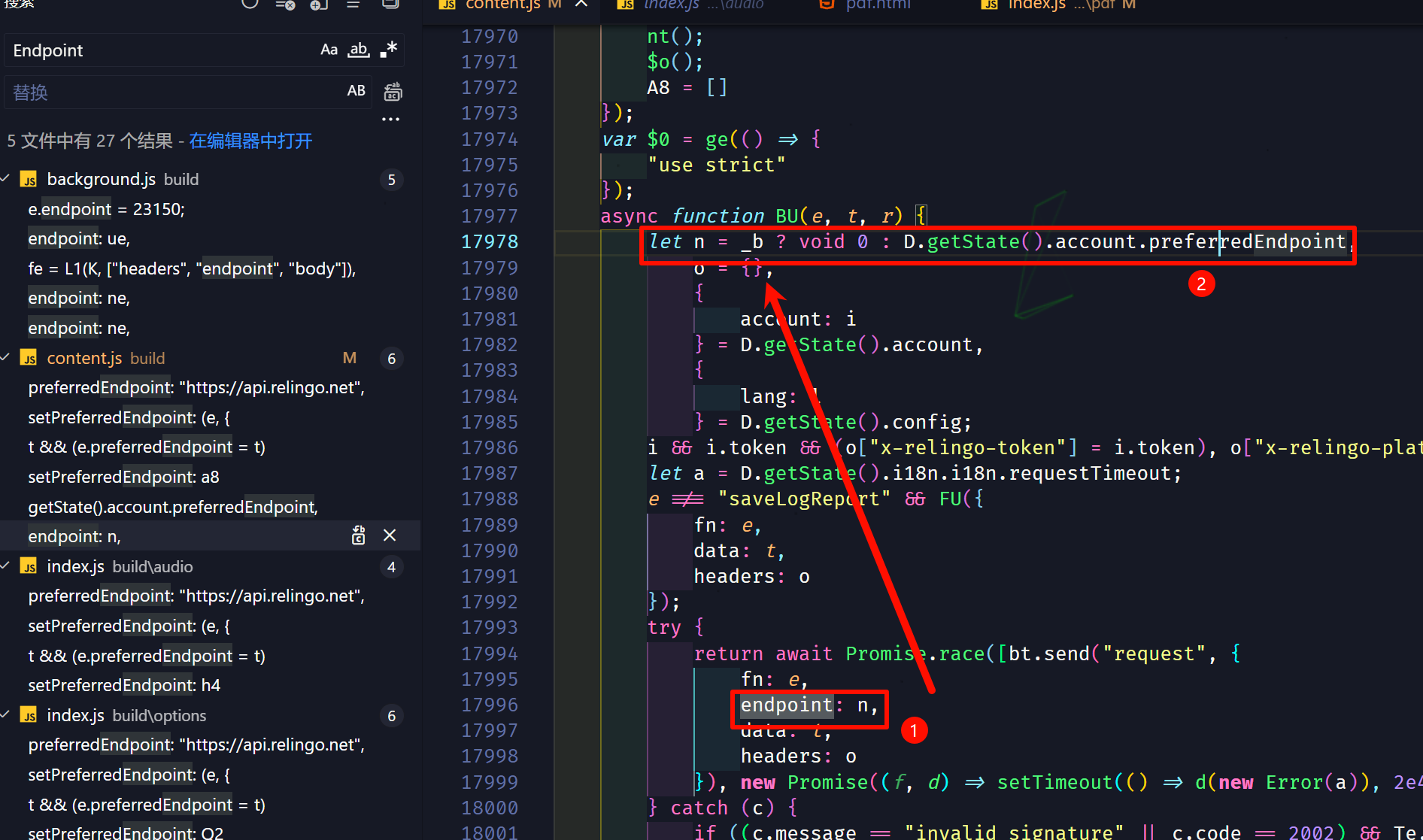
I tried modifying the relevant logic to force the request domain to api.relingo.net.
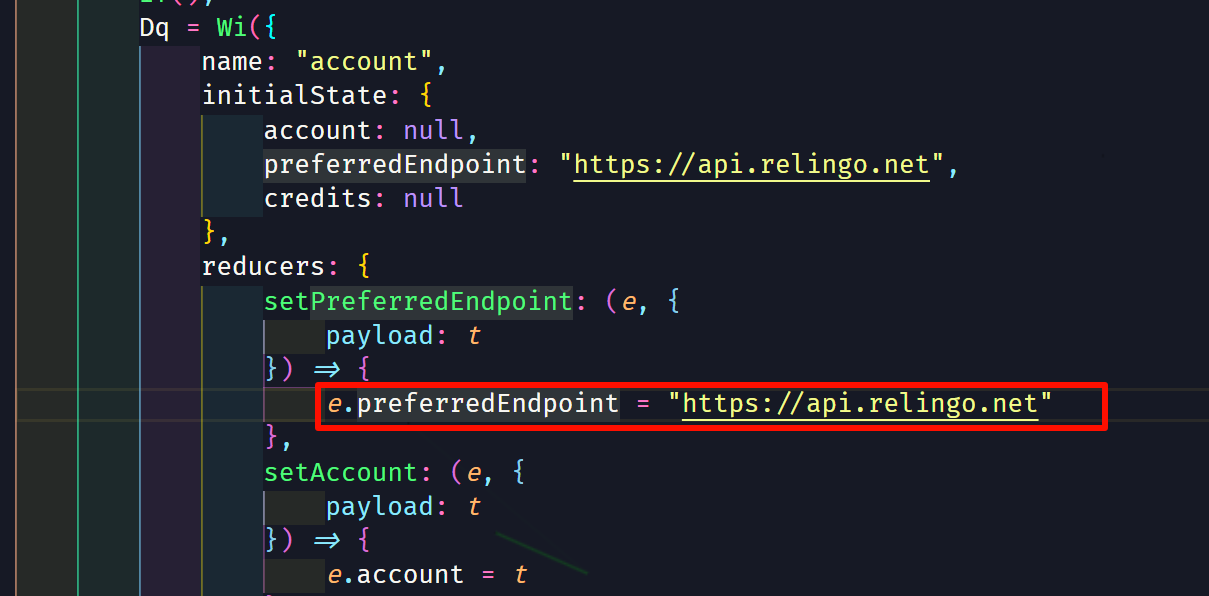
But it still doesn’t work after the change…
Strange—both requests now go to the same domain. What else could it be?
No choice but to compare the cURL commands of both requests using a string comparison tool:
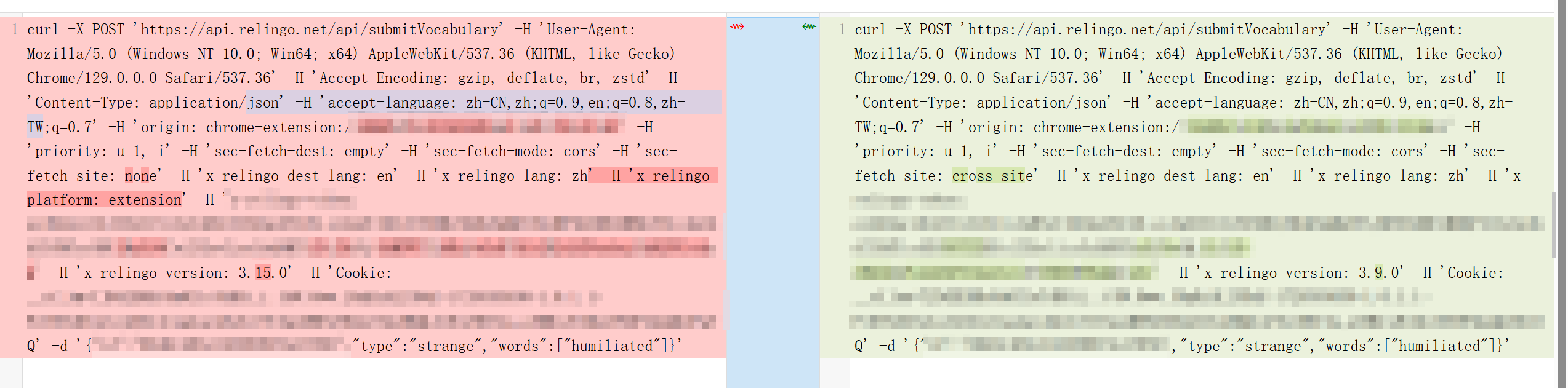
Only a few minor differences. Could it be a version difference? I modified manifest.json to change the new version back to 3.9.0, tested again, and it actually worked. I never expected the server to validate based on version 😅
So I found the code that sends the version parameter, forced it to 3.9.0, and tested—now I can add words without limit.
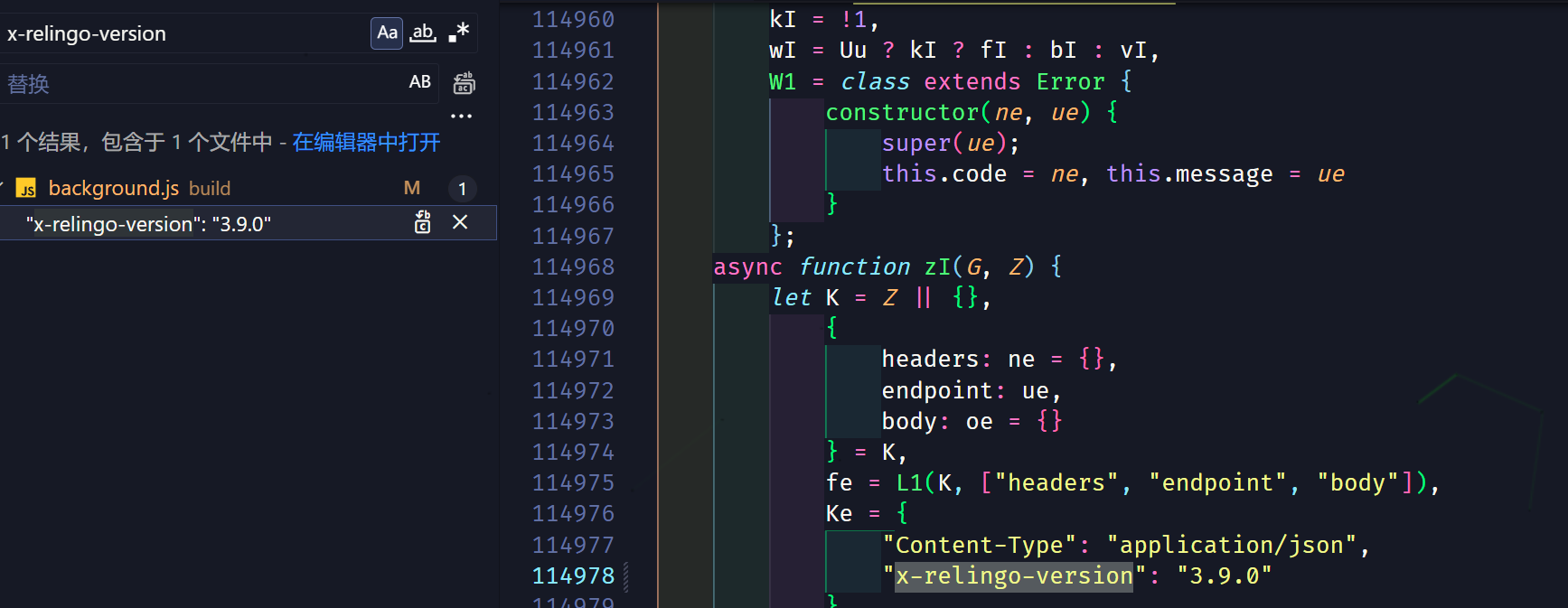
Example sentences weren’t tested—let’s guess they work too probably?
Exporting words seems to be a free feature actually. Exporting to Anki requires server-side processing and can’t be cracked for now.
The four features below—creating personal wordbooks, enabling multiple wordbooks, sense editing, and study statistics—all work after testing.
So here’s a summary of what works:
- Advanced translation engine
- Advanced translation engine credits
- English-English dictionary
- Advanced/professional wordbooks
- Advanced definitions
- AI grammar analysis
- Unlimited word storage
- Unlimited example sentence storage
- Import/export words
- Export to Anki
- Create personal wordbooks
- Enable multiple wordbooks
- Sense editing
- Study statistics
Reverse Engineering and Anti-Reverse Engineering
Is reverse engineering “right”?
Before wrapping up, I’d like to share my thoughts on extension cracking itself, from both the cracker’s and the developer’s perspective.
Is cracking extensions “right“? From a moral standpoint, I believe it’s clearly not—it obviously infringes on the author’s rights.
Therefore, the purpose of this tutorial is purely to spread relevant knowledge for learning and exchange. It’s not recommended to casually use or imitate these techniques, let alone profit from them. Any disputes arising from such use are not the author’s responsibility.
That said, in reality, some extensions are priced unreasonably, making them unaffordable for users, or the payment channels are too narrow—which means many great products struggle to reach the customers they deserve. This is actually disadvantageous to developers too. In this regard, I think SimpRead is a great example: its one-time purchase model and reasonable pricing mean very few people are motivated to crack it.
I’m an extension developer—how can I reduce cracking?
For developers, here are some suggestions:
Use obfuscation tools
Use obfuscation tools to lower the cost-benefit ratio for reverse engineers.
Tightly integrate with the cloud
Tie your product’s features tightly to the cloud and enforce validation on the backend, rather than having the cloud simply handle membership checks. But this depends on the nature of the product and will add some cost.
Price reasonably
Consider what your target audience can afford—price reasonably and offer promotions, education discounts, and similar programs.
Keep updating
Continuously ship new features that attract users. Since cracked versions can’t auto-update, if you keep releasing compelling features, users who need them will naturally choose to subscribe rather than waste time hunting for cracks or cracking the extension themselves.
Consider open source / free
😊