The Easiest Way…
Search on Taobao:
1 | PDF代找 |
For many things, spending time hunting them down isn’t really worth it. Paying someone to find them is fast and convenient, and the price isn’t bad either.
Generally speaking, the merchant channels here are pretty similar. If one or two of them can’t find a particular book, it’s basically a lost cause—just go buy the physical copy.If you’re not ready to give up and don’t mind wasting time, you can also try my methods below.
If you’d rather not spend money, definitely check out the methods below. As long as the book isn’t too obscure, you can usually find it.
Search Criteria
There are actually many criteria you can use to find a book, rather than just blindly searching by title.
Book Title
Generally, this should be the starting point for finding an ebook. If you don’t even know the book’s name, figure that out first.
It’s worth noting that you don’t need to know the exact title. Of course, searching with an exact title is always better than a fuzzy search.
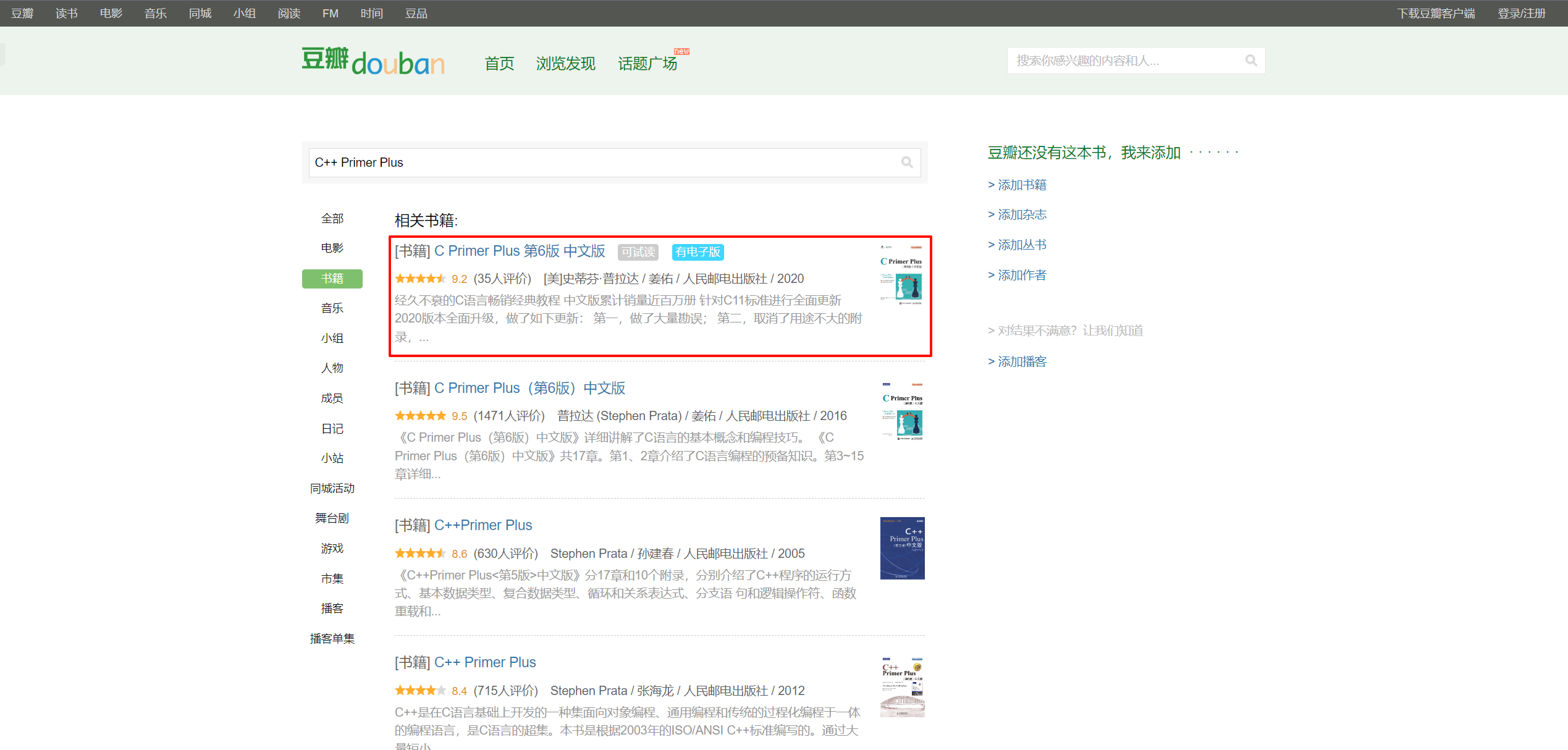
For example, if you want to find C++ Primer Plus, you can first search on Douban to determine the edition you want and get its exact title.
ISBN
In the previous step, you can also grab the book’s ISBN from the book details page.
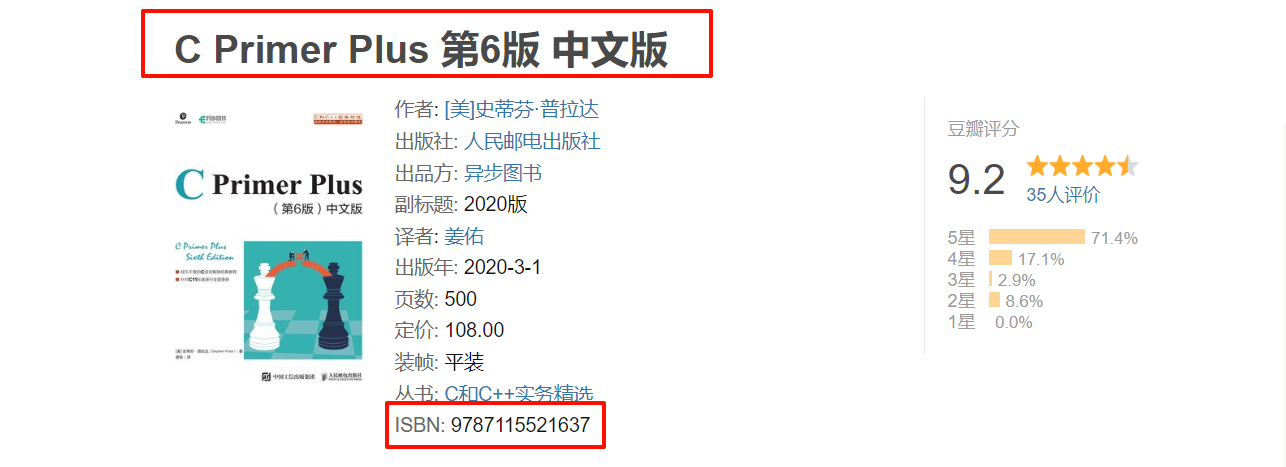
ISBN stands for International Standard Book Number. You can think of it as a book’s unique “ID number.” With it, you can precisely pinpoint a specific edition of a book. This is very useful in our subsequent searches.
ssid
It may also be called the $SS$ code, and it’s an 8-digit ID.
This is the ID used to look up certain libraries.
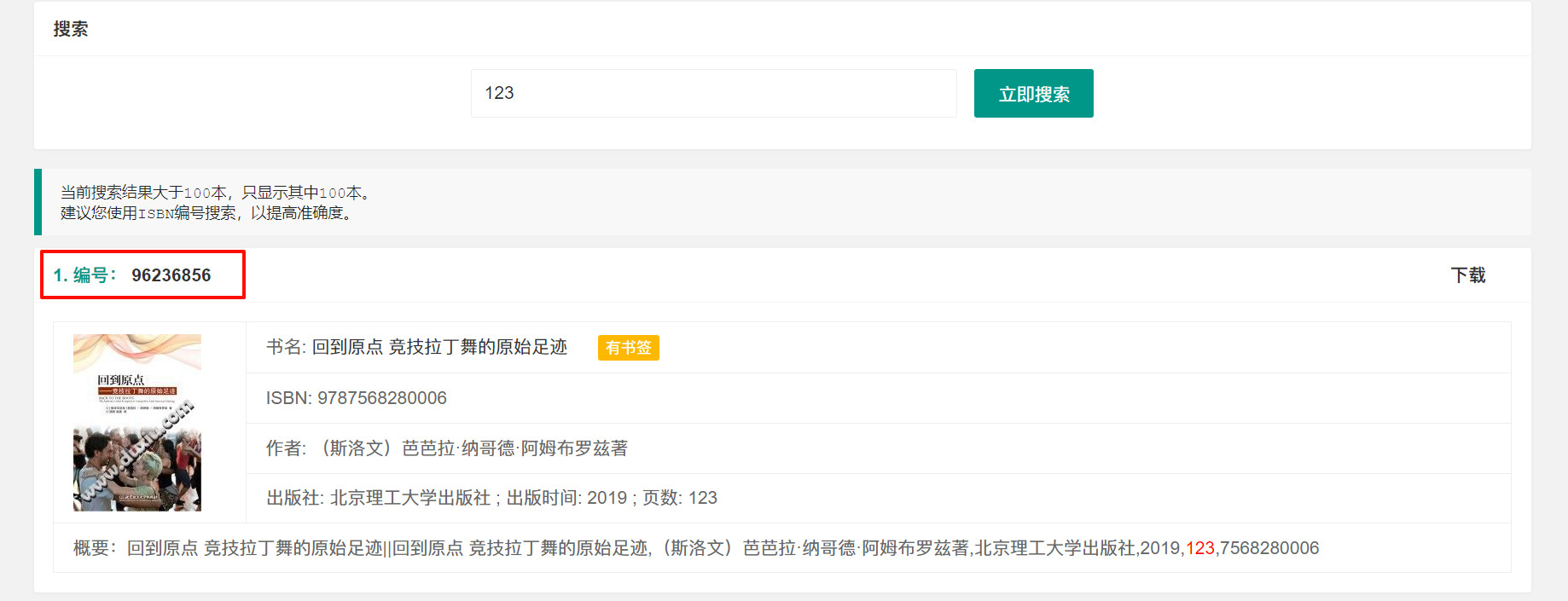
How to find the ssid:
In the second method, the ssid is located in the “Number” field.
Search Channels
Below are some useful search channels I’ve collected.
| Channel | Title Search | ISBN Search | ssid Search | Notes |
|---|---|---|---|---|
| Z-Library – the world’s largest e-book library. Your gateway to knowledge and culture. | ✔ | ✔ | ❌ | The famous Z-Library, especially comprehensive for foreign-language ebooks. If it’s down, you can find official links on your own. |
| zhelper Search Page 🔍 | ✔ | ✔ | ❌ | Requires an API endpoint to use; refer to this. Covers Z-Library resources, and some endpoints include other resources too. |
| My Book House (findbooks.info) | ✔ | ✔ | ❌ | Downloading may require a VPN. |
| Anonymous Books | A nice ebook website (book123.info) | ✔ | ✔ | ❌ | Simple and easy to use. |
| FreeMbook Search | ✔ | ✔ | ✔ | Works well, but most links are Baidu Netdisk instant transfers, which may fail due to API changes. |
| Jiumo Search – Document Search Engine (jiumodiary.com) | ✔ | ✔ | ❌ | Recommended by many, but personally I find the resources limited. |
| https://t.me/+dLqK79lm0G40ZWQ1 | ❌ | ❌ | ✔ | Requires VPN. |
| https://t.me/duxiubook | ✔ | ❌ | ✔ | Requires VPN. |
Helper Tools
First, let me recommend an all-purpose website. You can download instant transfers and also find and add bookmarks based on ssid (some PDF books may not have detailed bookmarks).
PDG to PDF All-in-One Tool (pdg2pdf.com)
Also, a format conversion website. If the format of the resource you downloaded isn’t what you want, you can convert it with the site below.
References
- Chaoxing TG Channel/Bot Collection – YiBook Project (ssdown.org)
- [Continuously Updated] Zlibrary/Superlib Access Methods & News Collection – YiBook Project (ssdown.org)
- DX Book Instant Link Query Site – Online Reading Garden – Powered by Discuz! (readfree.net)
- Using Zhelper Search to Find and Download Books / Zhelper Search API Collection · YiBook Project