The Problem
This issue had been bothering me for months. It started after a Windows 11 system update, when suddenly clicking the Bluetooth icon in the bottom-right panel did nothing, and clicking the expand button on the right caused it to “crash.”

The system also couldn’t discover new devices—it could only connect to already-paired ones.
The Solution
I tried Googling various fixes, but all of them failed (except reinstalling the OS, which I hadn’t tried yet). Eventually, I discovered that a system service called Device Association Service had been disabled for some unknown reason. Simply changing its startup type to “Automatic” in the properties fixed the issue.
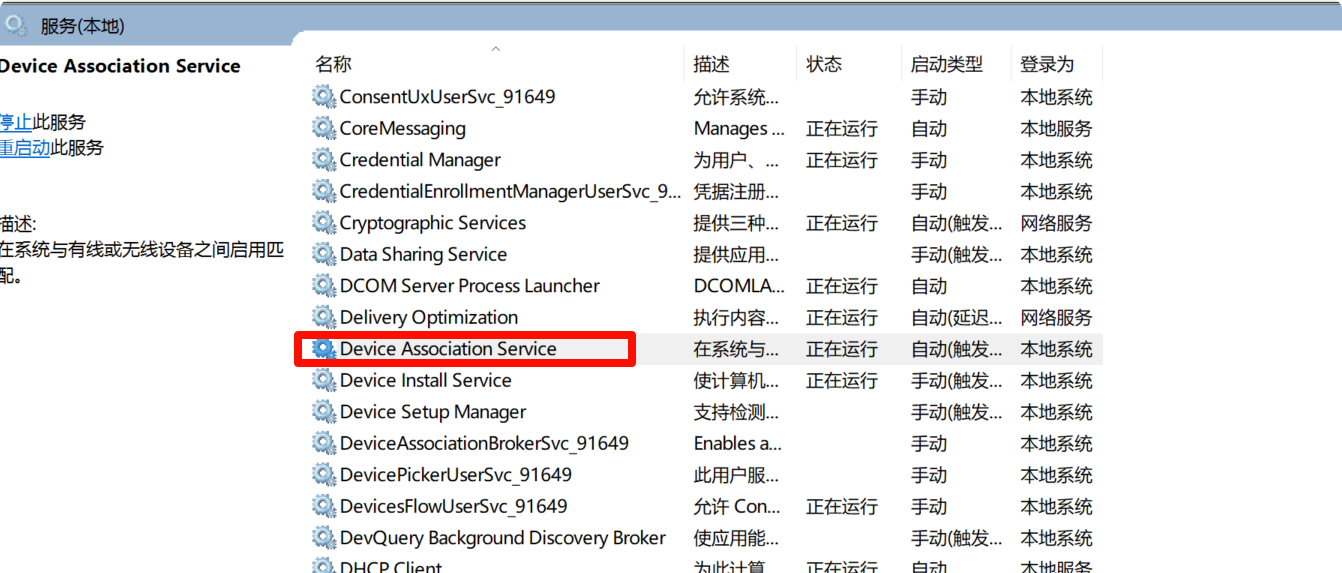
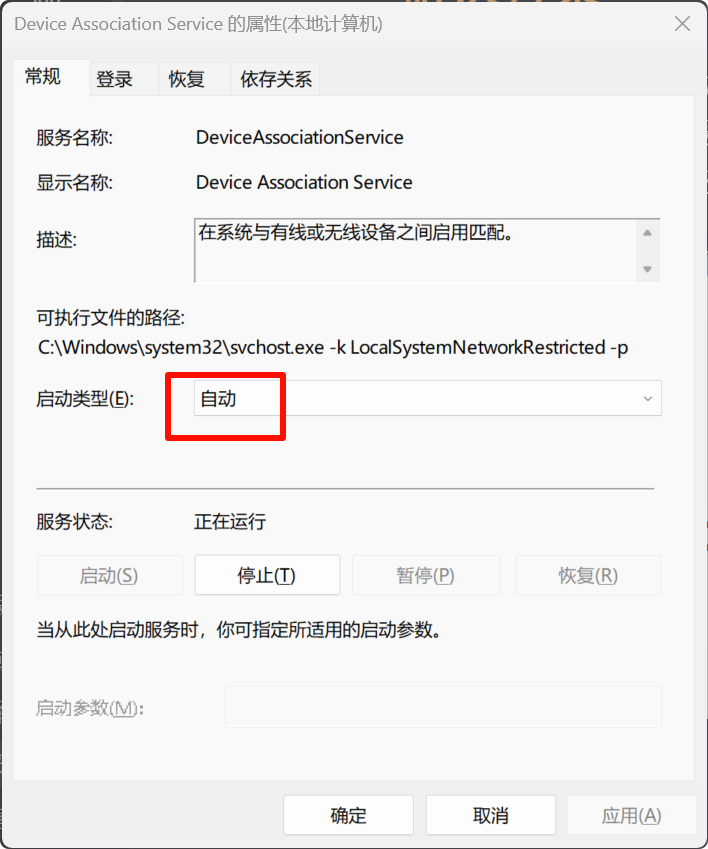
Finally, I could see the interface I’d almost forgotten about…

If it weren’t for swapping out my earphones, I wouldn’t have spent a whole night on this…
I hope this tutorial helps solve your problem. Even if just one person avoids the detour because of my article, I’d be more than satisfied.