Important Notice
This tutorial is for learning purposes only. All software, websites, and other resources mentioned are sourced from the internet and have no affiliation with the author. The author assumes no direct or indirect responsibility for them. If you download any resources through this tutorial, you must delete them from your computer within 24 hours. The author is not responsible for any disputes arising from this.
How It Works
- Use a third-party website to download the corresponding Microsoft Store app package.
- Bypass Windows signature verification.
- Enjoy~
Detailed Steps
Let’s walk through the installation process using Diarium as an example.
Get the Microsoft Store Link
Search for the app you want on Microsoft Apps.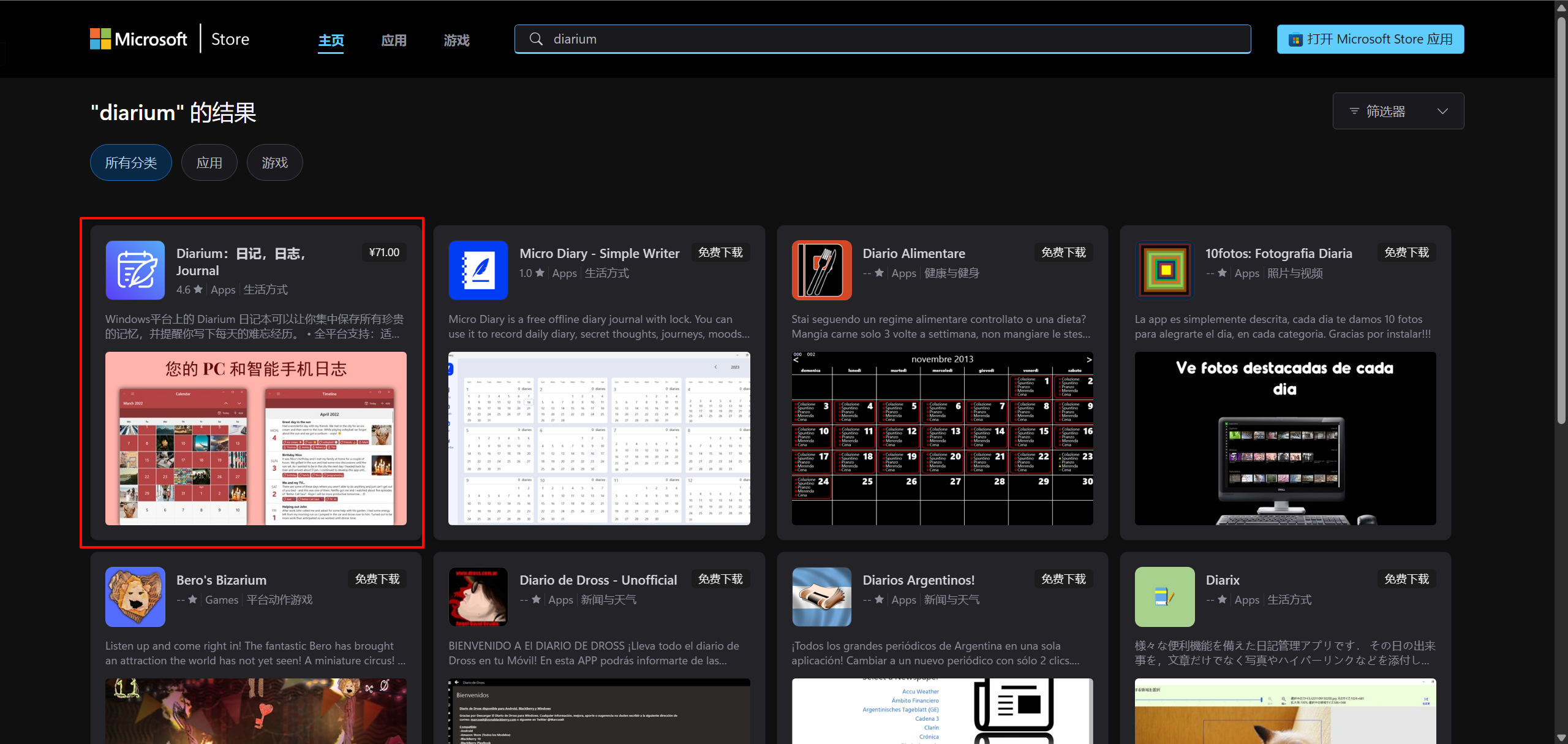
Find the app, click into it, and copy the URL of the app.
For example, Diarium’s link is https://apps.microsoft.com/detail/9nblggh4vzz1?hl=zh-cn&gl=CN
Search and Download from a Third-Party Website
Open the following website:
Microsoft Store - Generation Project (v1.2.3) [by @rgadguard & mkuba50] (rg-adguard.net)
Paste the link you copied earlier into the search box and click Search.
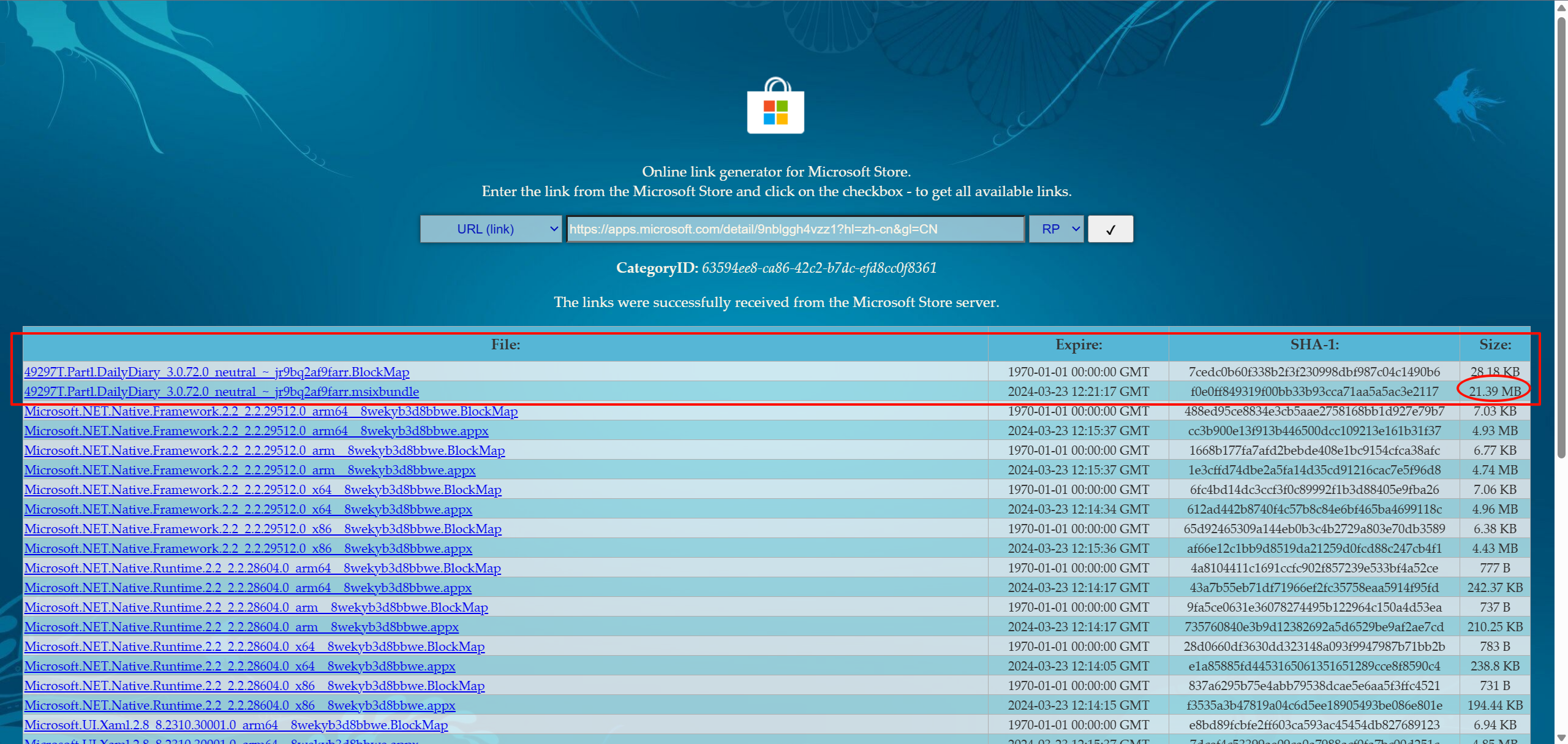
In the search results, download the file with a .appx or .msixbundle extension among the first few files—usually the larger one.
During the download, your browser may warn that the file is risky. Click Keep on this device.
Open the file directly. You should see an Install button; click Install.
Once installed, it may work right away. But if it says the app is unavailable, follow the steps below.
Bypass Signature Verification
Download Release WSAppBak v1.1 · Wapitiii/WSAppBak (github.com)
After downloading, extract it to a suitable directory and run WSAppBak.exe.
The app was installed earlier but isn’t usable, right? Use a tool like Everything to locate the diarium.exe file.
Navigate to Diarium’s directory (the folder name may contain a jumble of letters and numbers), and copy the directory path—not the .exe
Paste the directory path and press Enter.
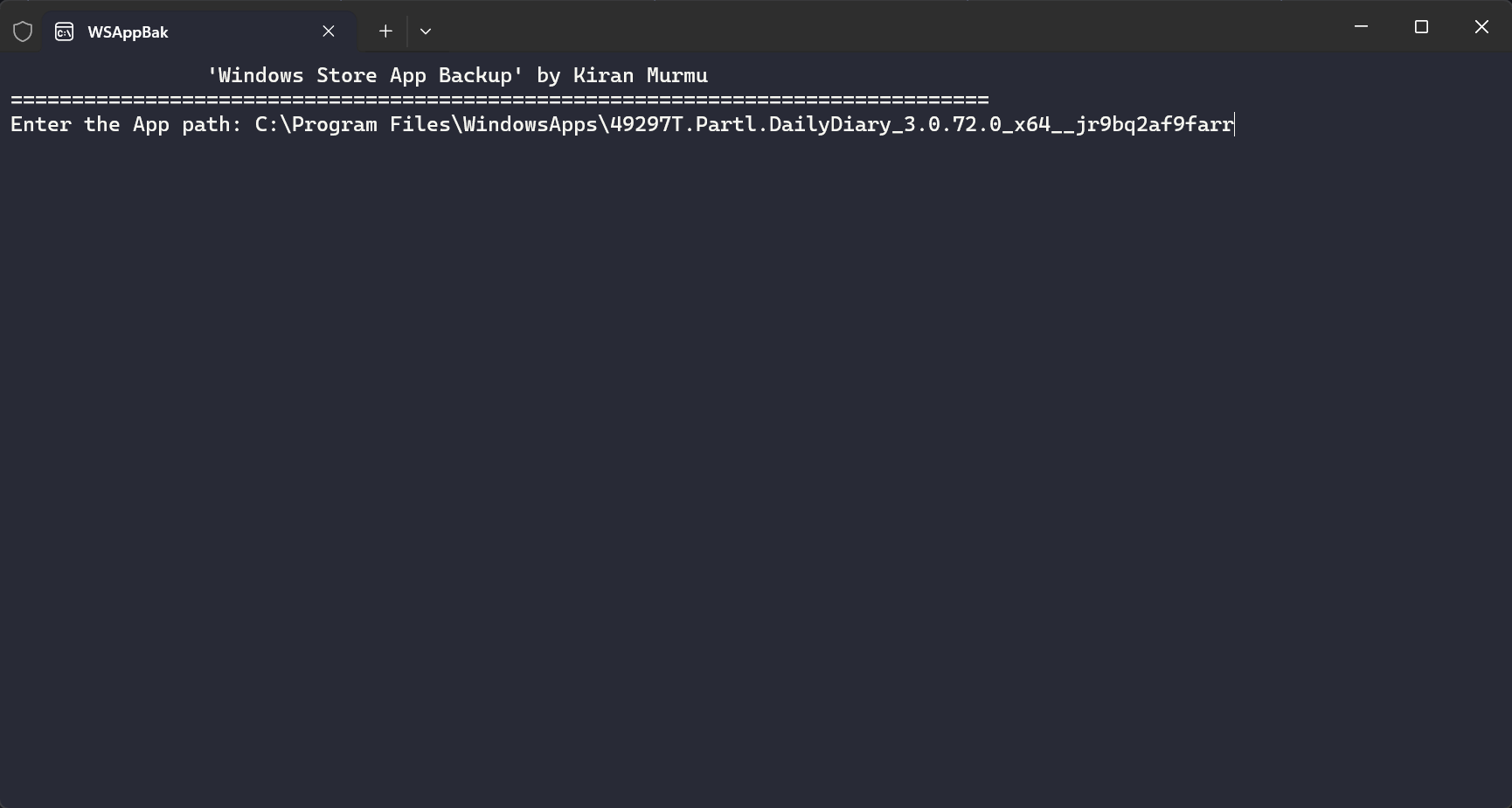
For the output directory, you can use anything, e.g., ./output.
When prompted for a password, select None.
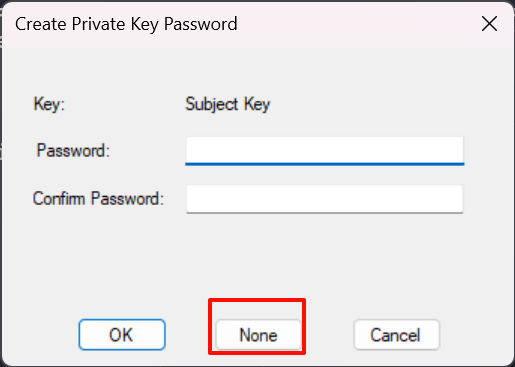
Open the output folder in the WSAppBak directory (or your custom folder). Open and install the .pfx and .cer files. When asked for the store location, choose Local Machine.
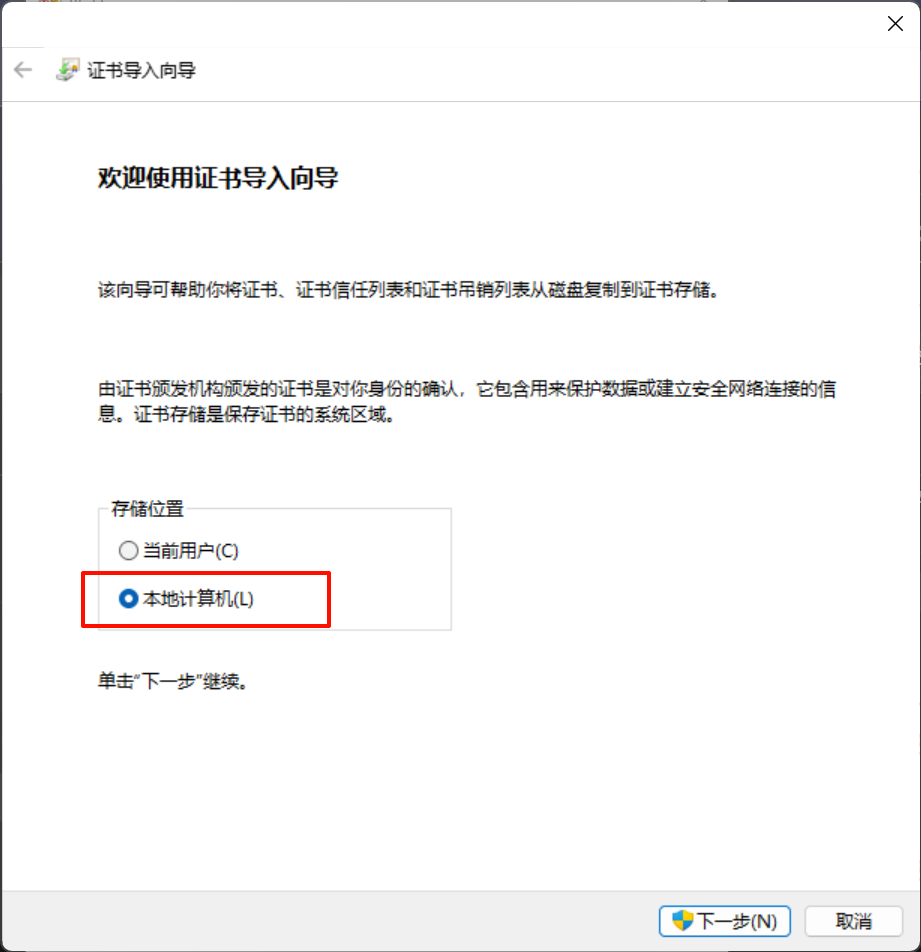
When asked to set a password, just skip it. Leave all other settings unchanged and click OK.
After installing both files, click the .appx file generated in the directory, then click Install (or Reinstall).
In my case, the installation failed. If that happens, uninstall the previously installed app, then install the generated .appx file—it should work normally.