Preface
Let me ramble for a moment—if you’re in a hurry, feel free to skip ahead to the main content.
Recently, I’ve started to feel that Spotify’s audio quality isn’t all that great—apparently it maxes out at 320K. While I’m not an audiophile, I do care about sound quality. But I didn’t want to pay for another streaming platform, so I came up with a workaround: use Spotify’s excellent recommendation algorithm to discover new music, then play the songs from my Spotify playlists using a local player.
However, this raises an important issue: my playlists contain several hundred songs, and downloading all of them isn’t easy. Although I know there are channels to download high-quality audio for free, such as some Telegram groups or the well-known MyFreeMP3 (liumingye.cn), they’re both cumbersome to use and not well-suited for batch downloads. They might work when you need a few tracks temporarily for video editing, but not for bulk downloading. Does this mean the classic “pick two out of three” dilemma applies here?
Today, I happened to come across a post by an expert titled Freeloading tens of millions of high-resolution music tracks! How to download resources from Qobuz, Tidal, Deezer and other streaming platforms - General Topics / Featured Posts - LINUX DO. Following their approach, I gave it a try and found that all three can actually be achieved simultaneously—perfectly satisfying my freeloading needs. Now I’d like to share my complete workflow.
Main Content
If you have large playlists on some music platforms and can’t download them all as lossless audio for free, give this method a try.
Note: This tutorial requires a Python environment. I’ll assume you have Python installed. If not, search for a tutorial or ask GPT.
Getting Your Playlist
Domestic Platforms (NetEase Cloud Music / QQ Music)
Migrate NetEase Cloud / QQ Music to Apple Music, YouTube Music, Spotify | yyrcd
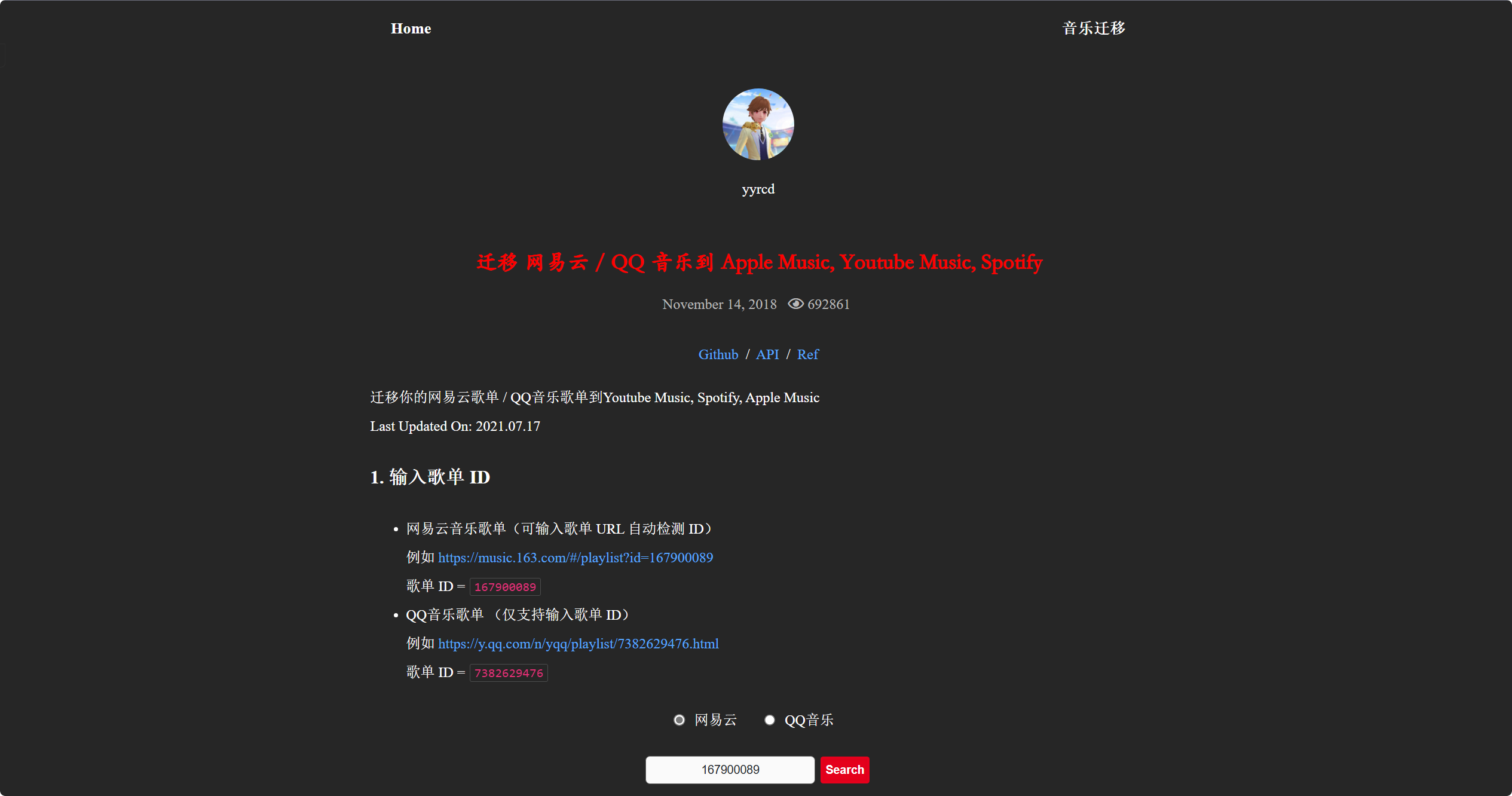
Follow the instructions on the website above, enter your playlist, and it will export the corresponding playlist as a TXT file.
International Platforms (Spotify / Apple Music / YouTube Music, etc.)
Transfer playlists between different music services | Tune My Music
We’ll use the tool above for conversion. If your playlist has fewer than 500 songs (the free tier limit), you can simply follow the website’s instructions to log in, fetch your playlist, and select Qobuz as the import destination.
If you don’t have an account on that platform, you can create a free Qobuz account—I recommend signing up with your Google account. We don’t need to pay for this platform; it’s just a stepping stone to make batch downloading easier.
What if your playlist has more than 500 songs? No problem. You can first convert and save it as a TXT file, then use Tune My Music multiple times to import—each free import handles up to 500 songs.
Importing Songs to Qobuz
Transfer playlists between different music services | Tune My Music
In the previous step, if you’re using a domestic platform or have more than 500 songs, select “Any Text” as the import option.
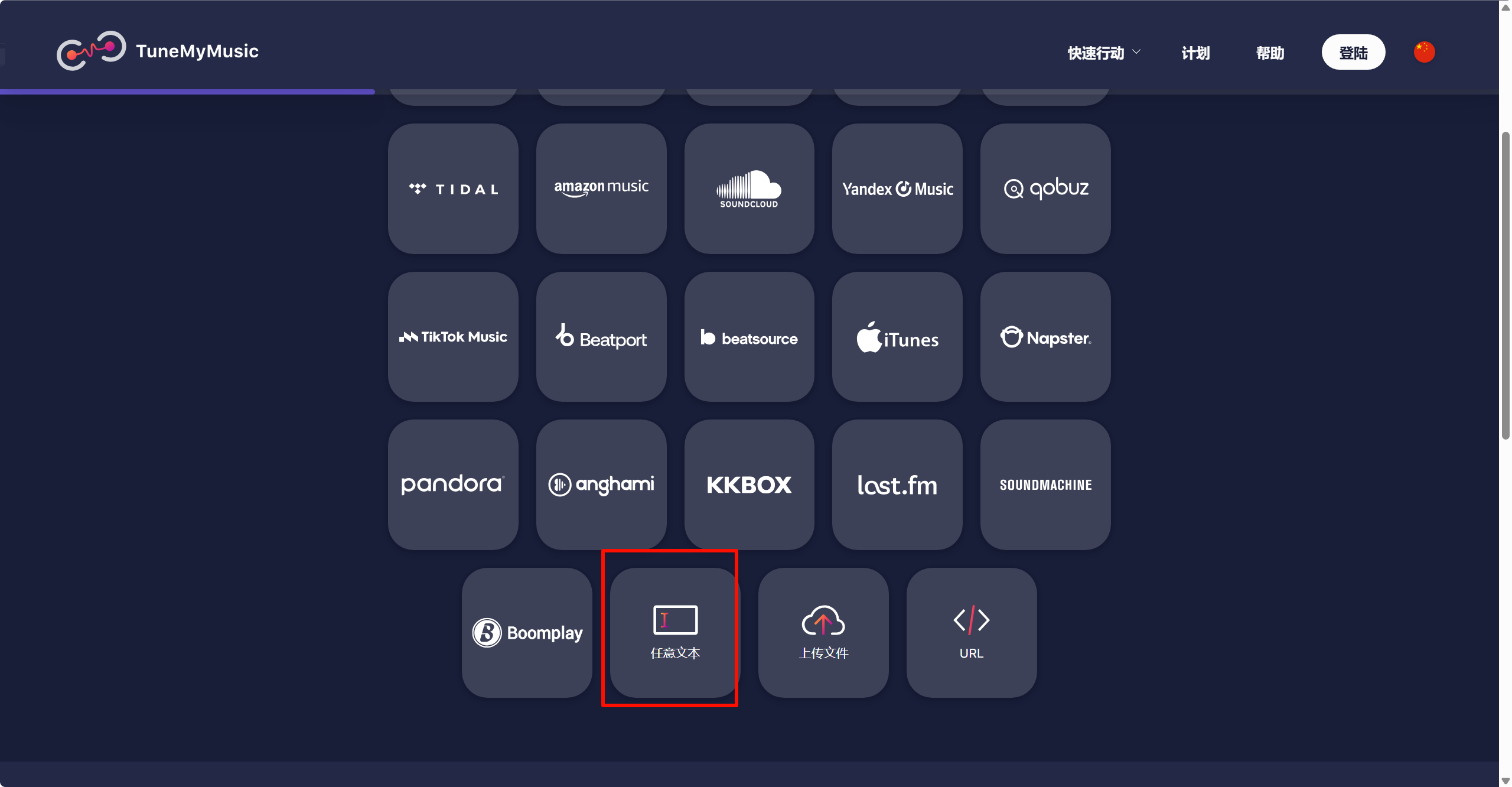
Then paste the playlist text you obtained earlier. If it exceeds 500 songs, import it in batches.
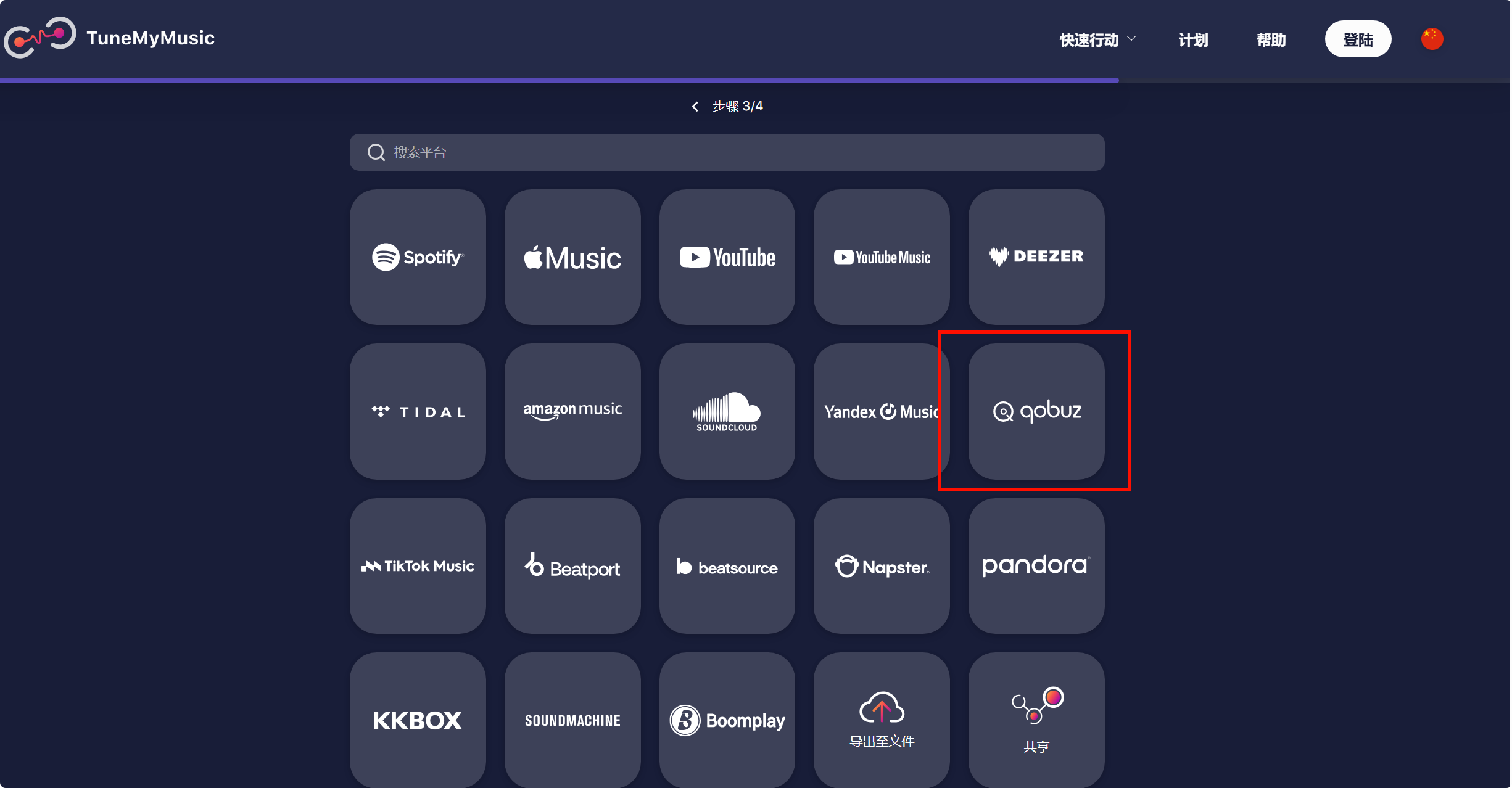
Select Qobuz as the destination.
Once the import is complete, open the playlist page and make sure to uncheck the “Private” option on your playlist—otherwise, the tool won’t be able to read your playlist publicly.
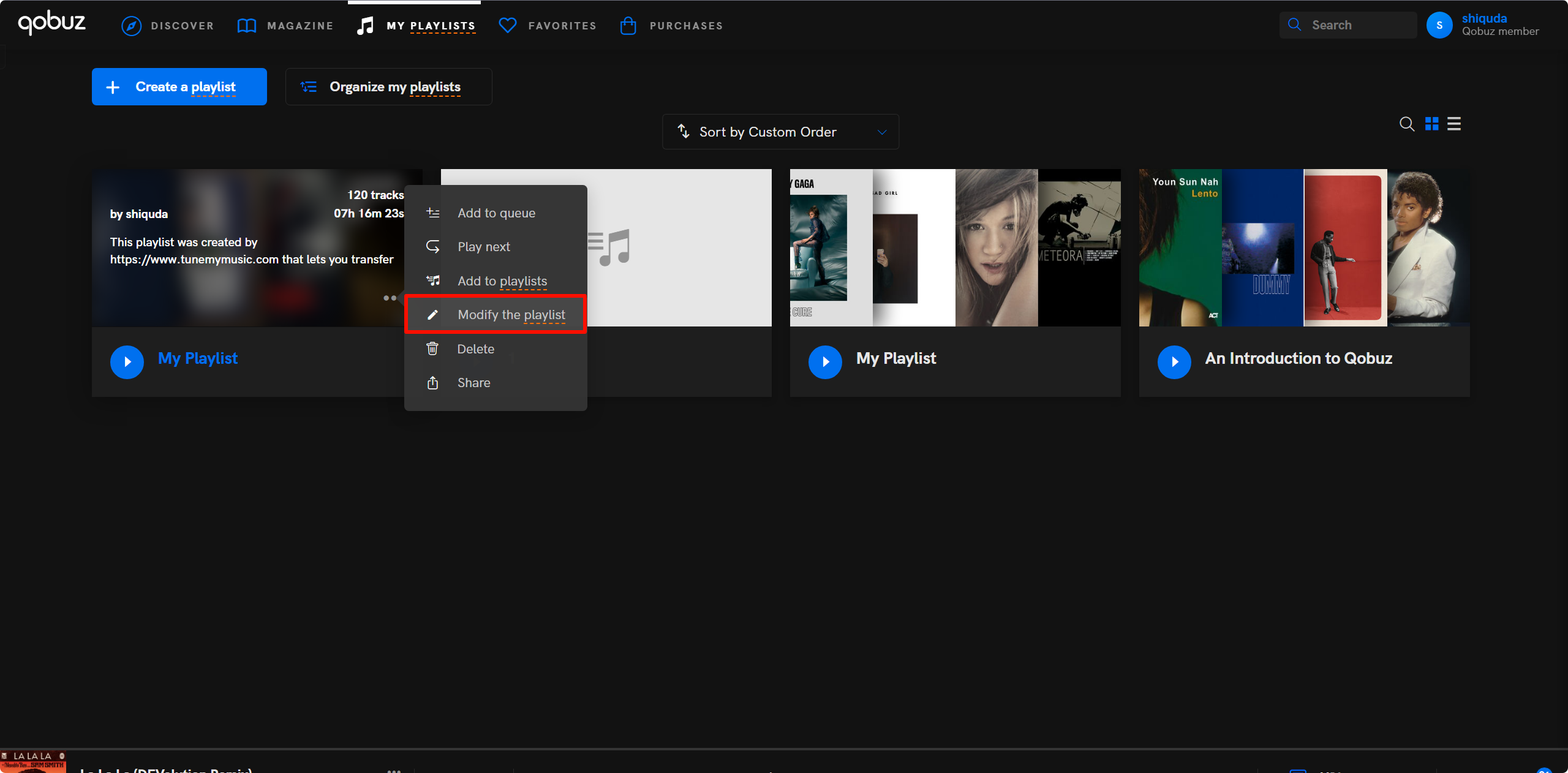
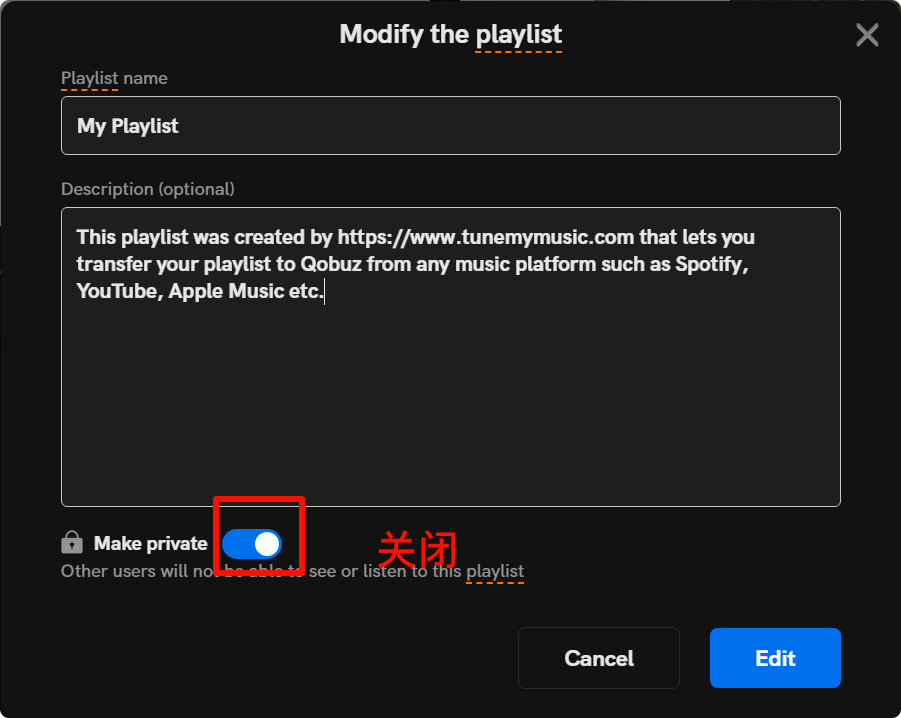
Batch Downloading
We’ll use this tool for batch downloading.
Installation requires a Python environment. Run the following command to install:
1 | pip install poetry |
After installation, open the configuration file:
1 | rip config open |
You can configure it based on my example. The token and ID provided by a generous contributor can be found at Firehawk52 Official - Saving Digital Legacy (rentry.org).
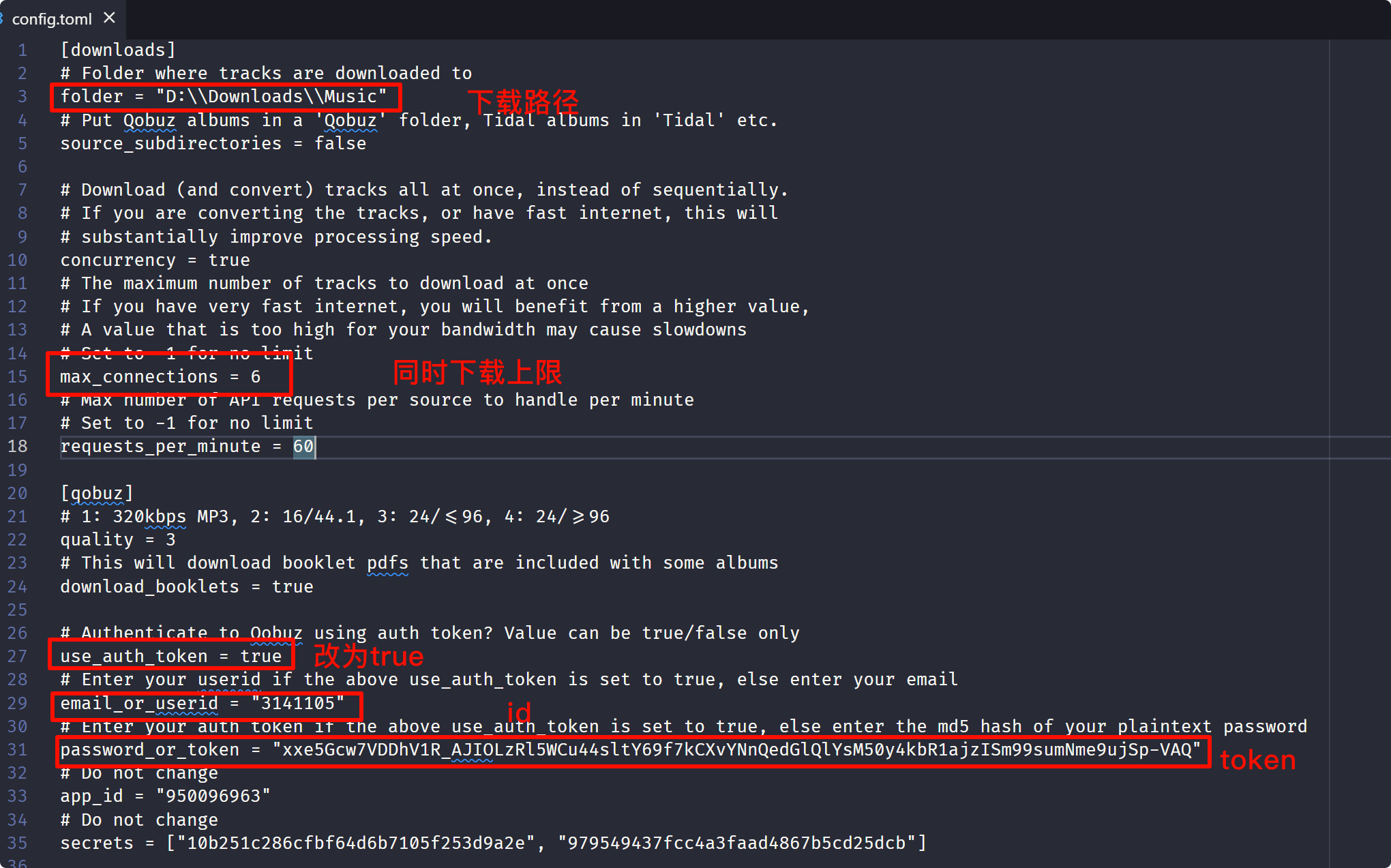
After saving, go to the playlist link you transferred to Qobuz earlier, then run:
1 | rip url https://play.qobuz.com/playlist/xxxxxxxx |
The download will begin. If you can’t connect, you may need to enable a global proxy or TUN mode.
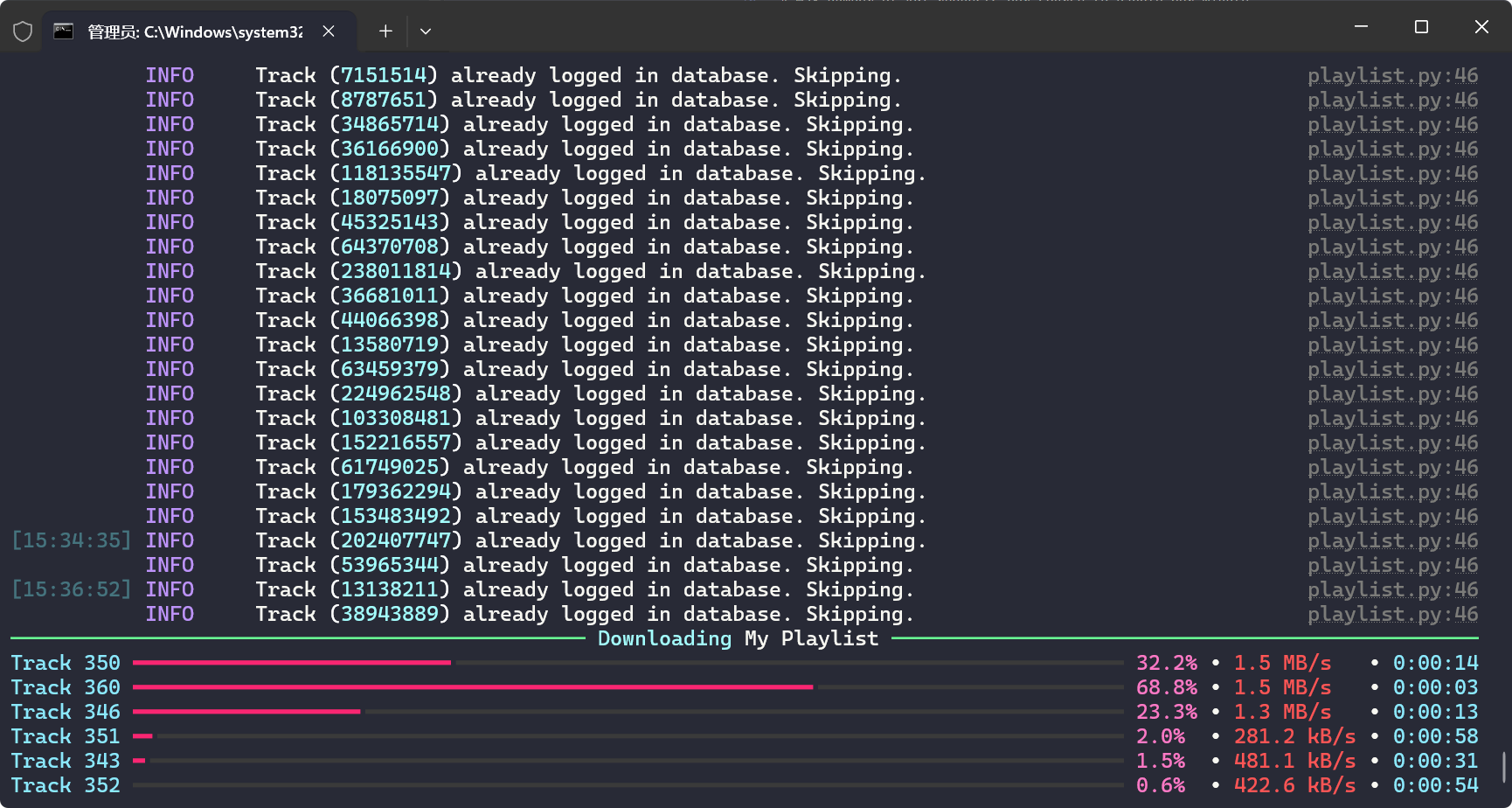
If the download disconnects and throws an error, just run the command again—already downloaded tracks will be skipped automatically.
Drawbacks
While this method largely solves the three-way dilemma, it still has some shortcomings.
- Playlist conversion may be inaccurate or incomplete. Since most of what I listen to is English music, I haven’t tested much with Chinese songs, so there may be gaps; some tracks may also come out as different versions after conversion (e.g., the original becomes a remix or vice versa). I’d estimate the accuracy is around 90%.
- Some songs in Qobuz appear grayed out and can’t be fetched. My guess is this is related to the country associated with the token account. If some tracks fail to download, try switching to a different token. The download success rate is also around 90%.